Orders are dispatched the same day if placed before 3pm (Monday to Friday). Find out more

Has your phone been stolen or lost, or perhaps sold without first signing out of your Google account? Here's how to sign out remotely.

What is a Google account?

A Google account is a unique identifier that allows you to access all the services and products offered by Google, such as Gmail, Google Drive, Google Photos, YouTube, Google Calendar, and many others. It also gives you access to third-party services that use Google authentication. 

Today, you may be asked to log in to your Google account to access certain applications, but also to connect to your device's store.

Without this connection, you cannot download applications to your device, whether it is aApple, Samsung, or another brand.

Google is the global market leader, with an estimated 2.7 billion active users. That's almost as many smartphones connected to one of its accounts...

Why disconnect your Google account from your device?

A Google account allows you to log in to several services with a single username, such as:

Email (Gmail): A Google account allows you to use Gmail, one of the world's most popular email services, to send and receive emails.

Online storage (Google Drive): With a Google account, you can store files (documents, photos, videos, etc.) in Google Drive and access them from any device connected to the Internet.

Google Photos: This service allows you to back up and organise your photos and videos online with smart search options.

Google Calendar: A calendar for planning events, appointments, or reminders. It is synchronised with all devices.

Google Play Store: If you have an Android device, you need a Google account to download apps, games, music, films, and much more from the Google Play Store.

Data synchronisation: If you use an Android device or Chrome browser, your Google account allows you to synchronise your data (such as bookmarks, settings, browsing history) across all your devices.

Security and personalisation: You can personalise your Google account (by adding a profile photo, changing your password, etc.). 

Google Maps, YouTube, etc.

As you can see, your entire life, your habits, your private data and content can be accessed using a single address!

If your device falls into someone else's hands, all this sensitive data will be exposed.

That's why, if you plan to sell your phone, it's essential to log out so that no one can access your information.

If, on the other hand, your phone has been stolen or lost, you will need to quickly log out remotely! 

How can I remotely disconnect my Google account from a device?

Step 1.

  • Log in from any device (computer, tablet, phone, etc.) using a browser at: https://myaccount.google.com
  • Enter your email address and password to log in.

Step 2.

  • Once logged in, click on 'Security' in the menu on the left.
  • Scroll down to the "Your devices" section. You will see a link called "Manage devices" where all the devices your Google account is connected to will be listed.

Step 3.

  • In the list of devices, locate the one from which you wish to sign out of your account.
  • Click on the device in question to view more details.
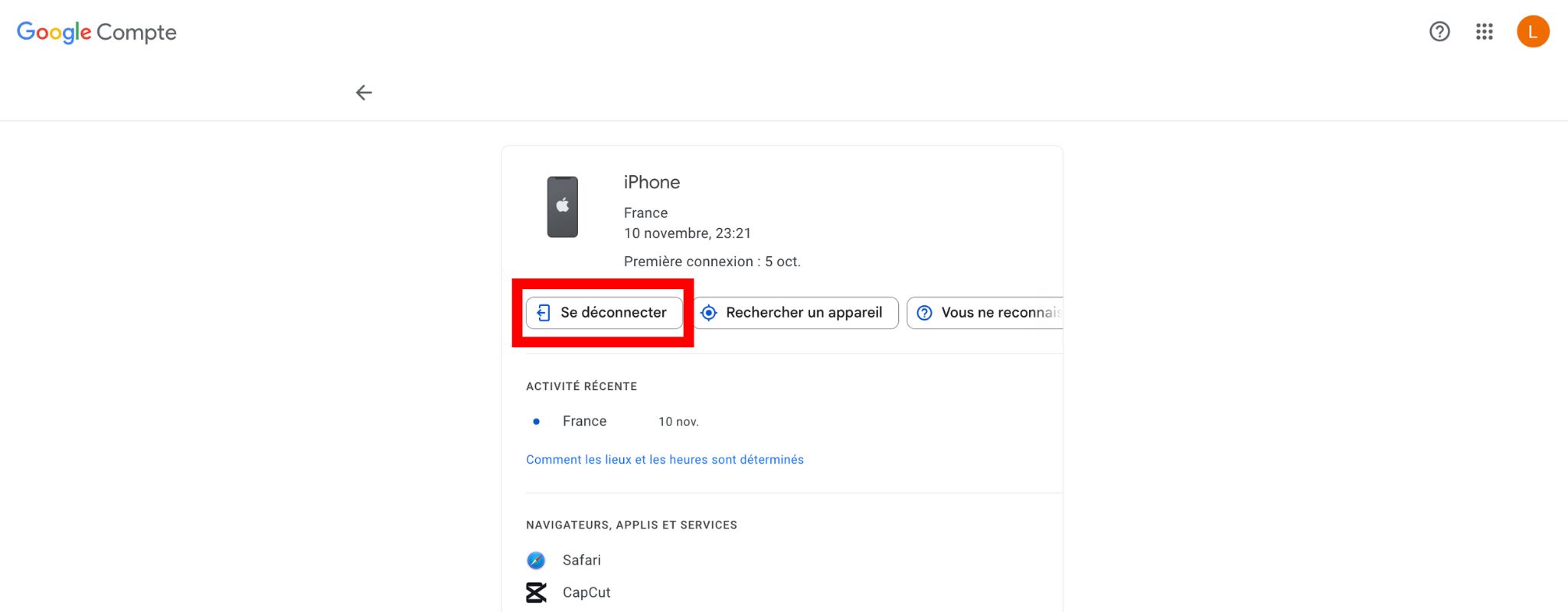
  • Click on "Sign out" or "Remote sign-out" (depending on the interface).

Step 4.

After clicking "Sign out," you will need to confirm the sign-out.

This revokes access to the Google account on that device, even if it is still turned on.

That's it, you have successfully logged out of your Google account remotely! 

To learn more about how to manage and secure your Google account, click here!

More articles

VISIT OUR BLOG
Advice
IPhone screen: understanding Hz and ProMotion

IPhone screen: understanding Hz and ProMotion

60 Hz, 90 Hz, 120 Hz, ProMotion: find out how the display frequency of an iPhone screen works,...

2025-11-28
Advice
What quality iPhone screen should I choose? TFT, INCELL, OLED, original

What quality iPhone screen should I choose? TFT, INCELL, OLED, original

TFT, INCELL, LTPS, hard and soft OLED, Service Pack, refurbished or pulled: find out which iPhone...

2025-11-26
News
OnePlus 13: Features and Release Date

OnePlus 13: Features and Release Date

OnePlus 13: Discover its features, innovations and expected release date. Everything you need to...

2025-03-04