Orders are dispatched the same day if placed before 3pm (Monday to Friday). Find out more

Today, there are many brands on the mobile phone market, each offering a wide range of phones. Some smartphone models come in different versions, such as those available at Apple: iPhone 15, iPhone 15 Pro, iPhone 15 Pro Max... It can sometimes be difficult to navigate the options!

Caution is advised, especially when ordering a spare part or accessory for your phone. It is essential to know the exact make and model of your phone to avoid making a mistake.

Whether you are a fan of technological gadgets or simply curious to know which model you have in your hands, this guide will give you the keys to quickly and accurately identify your phone. Recognising your smartphone model can be useful for many reasons, including software updates, repairs, or accessory compatibility.

1. Check the original box or purchase invoice:

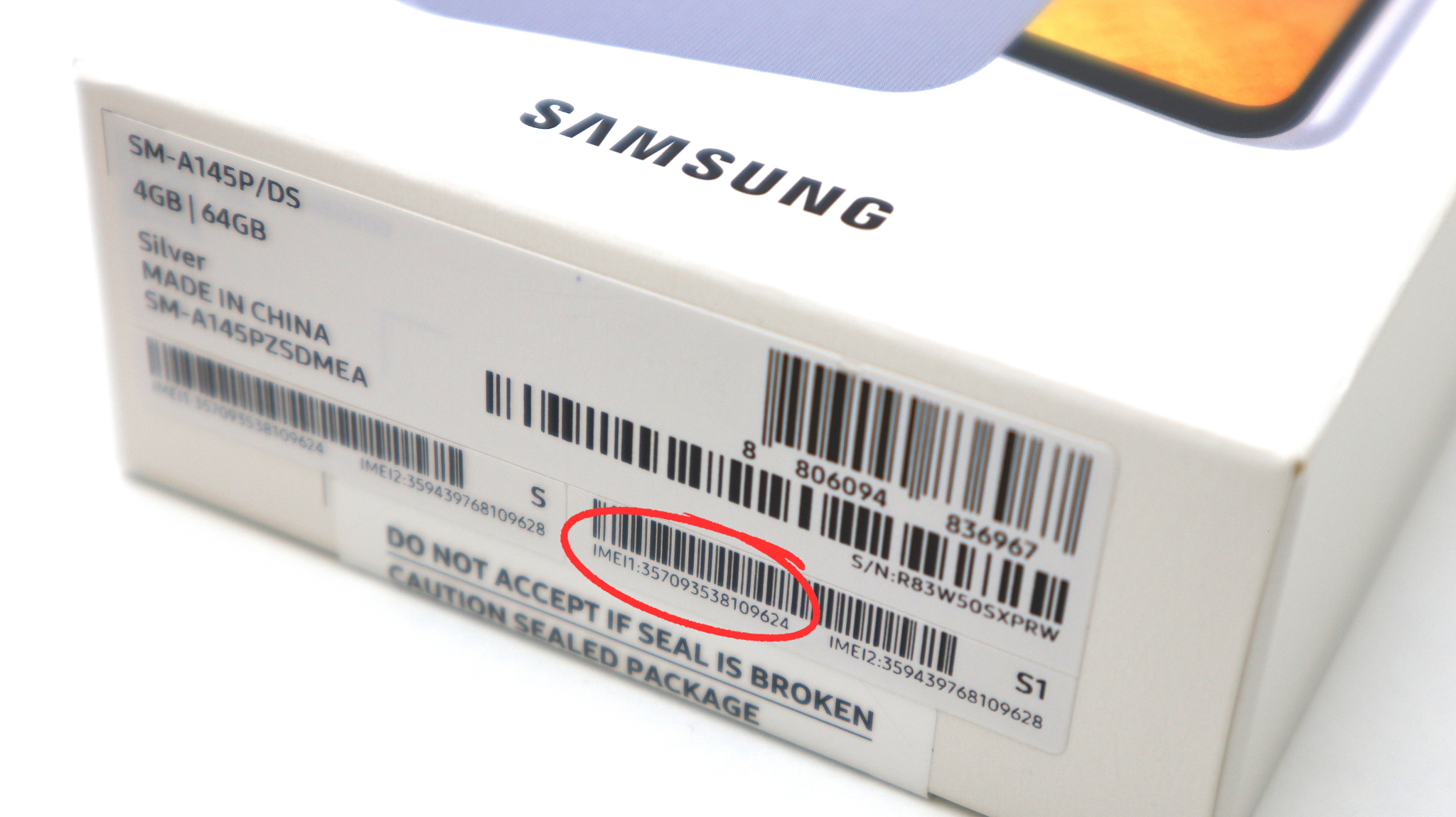
The easiest way to find out the model of your smartphone is to check the original packaging or your purchase receipt. The packaging usually contains all the essential information, such as the model name, manufacturer and serial number. If you have kept your receipt, the model name will also be mentioned there.

2. In the phone settings:

- On Android versions:

Go to "Settings" and look for the "About phone" or "About device" option. Here you will find all the information about your smartphone, including the model name, software version and other important details.

- On iPhone versions:

Go to "Settings > General > About", where you will find the model name. If you click on "Model No.", you will see the reference Apple starting with the letter A followed by 4 digits, which identifies the exact model.

3. Using the IMEI number:

By entering the code *#06# on your keypad, you will have access to the device's serial number. Enter it on the websitehttps://www.imei.info/fr/, which will give you all the information you need. On some models, the IMEI number is engraved on the SIM tray or on the back of the device.

4. On your SIM card tray:

On some phone models, you can find the IMEI number engraved on your SIM card tray. Simply remove the tray and check if there is a 15-digit number on it. This is a handy tip if your phone won't turn on.

More articles

VISIT OUR BLOG
Advice
IPhone screen: understanding Hz and ProMotion

IPhone screen: understanding Hz and ProMotion

60 Hz, 90 Hz, 120 Hz, ProMotion: find out how the display frequency of an iPhone screen works,...

2025-11-28
Advice
What quality iPhone screen should I choose? TFT, INCELL, OLED, original

What quality iPhone screen should I choose? TFT, INCELL, OLED, original

TFT, INCELL, LTPS, hard and soft OLED, Service Pack, refurbished or pulled: find out which iPhone...

2025-11-26
News
OnePlus 13: Features and Release Date

OnePlus 13: Features and Release Date

OnePlus 13: Discover its features, innovations and expected release date. Everything you need to...

2025-03-04