Orders are dispatched the same day if placed before 3pm (Monday to Friday). Find out more

I've had no network since I changed my screen

Have you replaced your screen and since then you can no longer receive a signal? We probably have the explanation!

When your screen is broken and/or not working, you need to replace what is known as the "screen assembly". This part is a "pre-assembled" screen, which contains the screen glass as well as other parts such as the power button, front camera, vibrator, etc. (these elements vary depending on the screen assembly you choose).

It may also contain a network antenna.
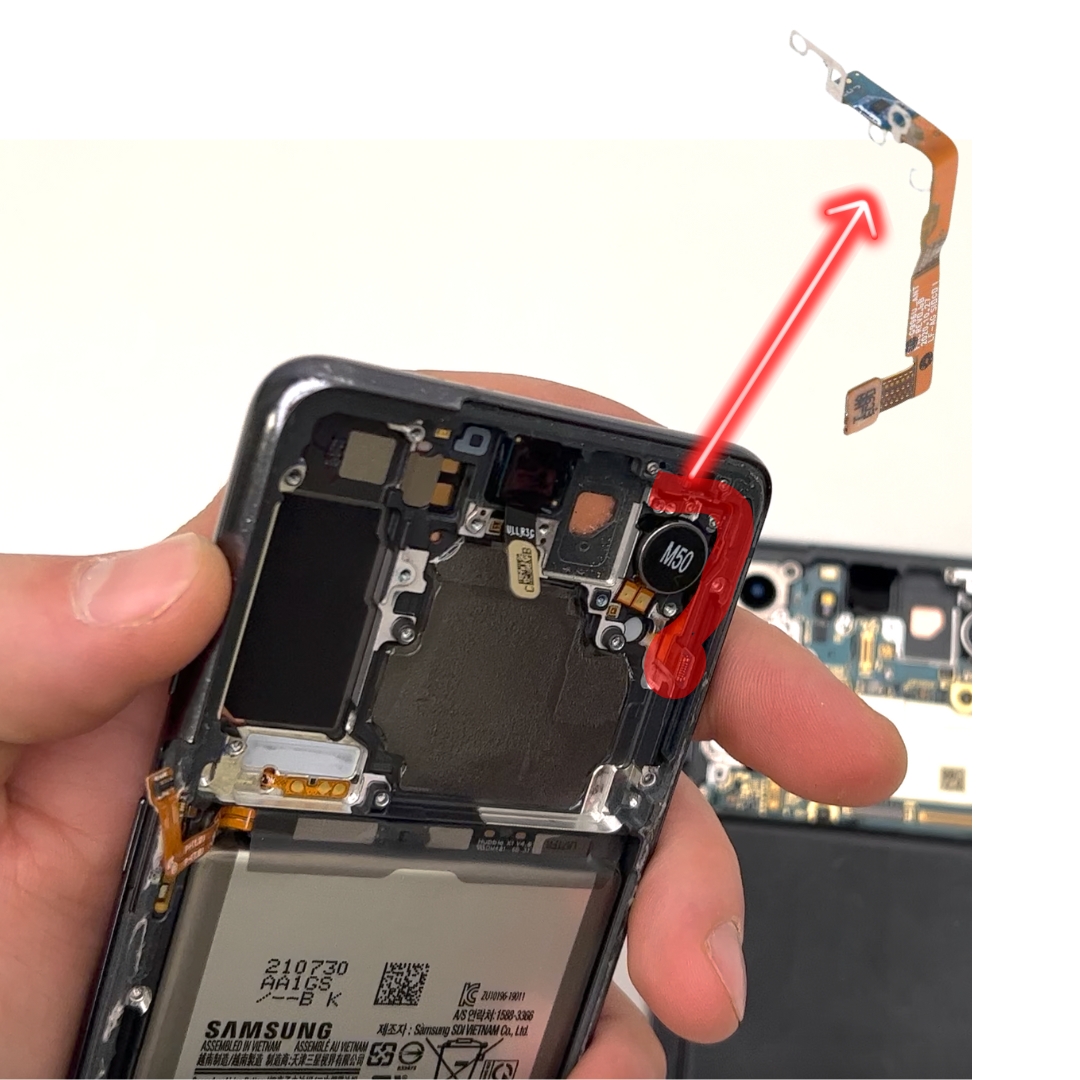
Phones have at least one network antenna in the charging connector, but more and more models have a second antenna located in the screen assembly.

Network antenna 1 on a Samsung S21
Network antenna 2 on a Samsung S21

If your phone is one of those with two antennas, you must be careful when replacing the screen assembly.

There are two possible scenarios that explain the network problem after this repair.

Case 1: the new screen unit did not contain an antenna

Not all screen assemblies available on the market contain all the necessary parts (vibrator, antenna, power button, etc.). 

This is why you need to be careful when carrying out repairs. If you notice that a part is missing, you will need to retrieve it from your phone's old screen unit.

If you encounter a network problem after changing the screen unit, it may be because you ordered a screen unit that did not contain an antenna and you simply did not retrieve the old one.

The solutions are as follows: 

- Retrieve the antenna from the original screen unit 

- Ensure that you order a screen assembly that already contains an antenna.

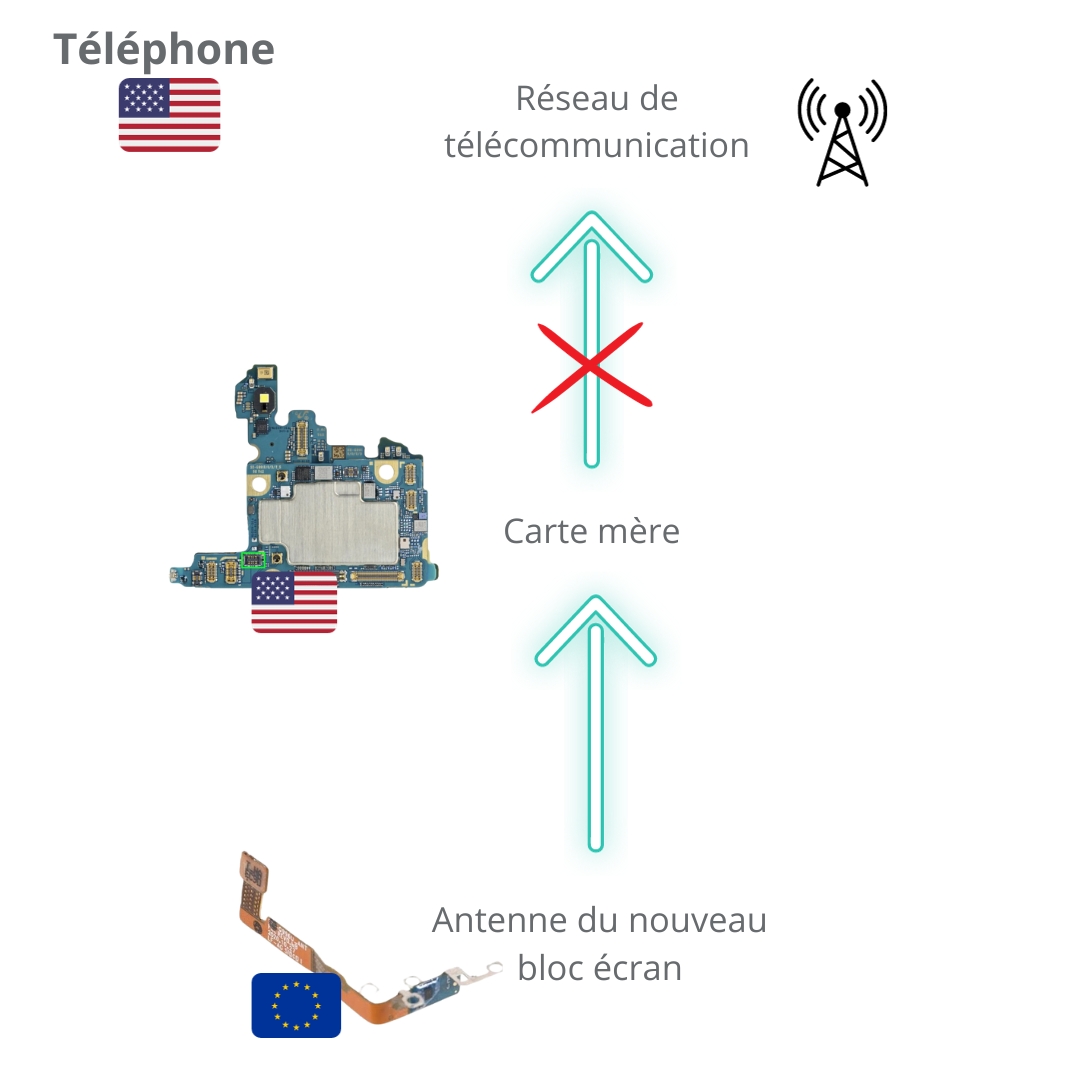
Case 2: Your phone is not European

If case no. 1 does not apply to you and the new screen assembly already contained an antenna, the problem is likely due to the origin of your phone.

If you originally purchased your phone online, such as on a marketplace, it is possible that you have a phone that was not designed for the European market.

The frequencies (MHz) of telecommunications networks are not the same in Europe, America, Asia, etc. Phones are therefore designed according to the frequency bands of the telecommunications networks in the market where the phone will be sold.

However, the screen block you ordered was most likely designed for the European market. As a result, there is a frequency incompatibility between the motherboard and the new antenna, as they will not transmit on the same frequencies.

So how can the problem be solved in this case? 

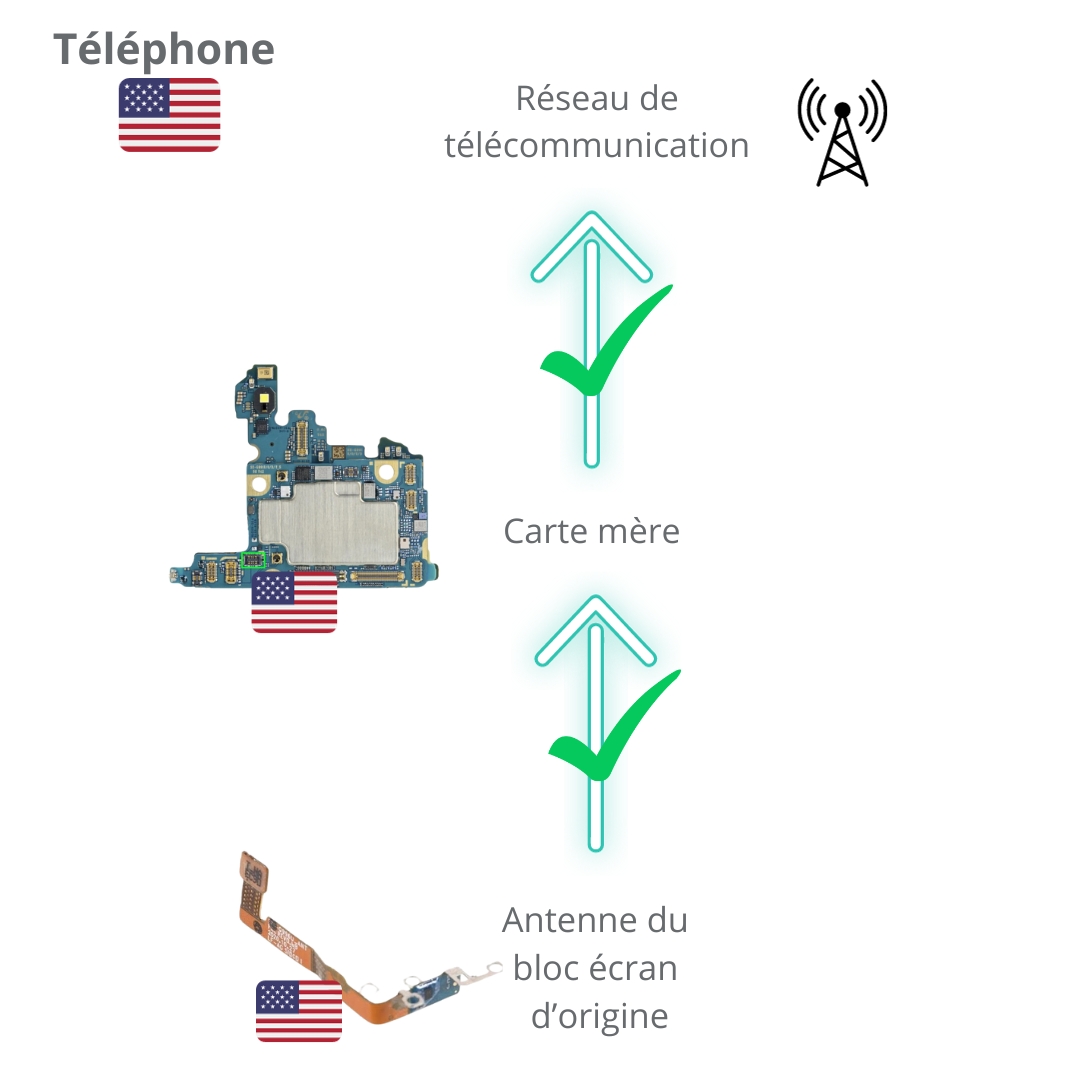
Simply retrieve the old antenna from the original screen unit and replace the antenna in the new screen unit.

More articles

VISIT OUR BLOG
Advice
IPhone screen: understanding Hz and ProMotion

IPhone screen: understanding Hz and ProMotion

60 Hz, 90 Hz, 120 Hz, ProMotion: find out how the display frequency of an iPhone screen works,...

2025-11-28
Advice
What quality iPhone screen should I choose? TFT, INCELL, OLED, original

What quality iPhone screen should I choose? TFT, INCELL, OLED, original

TFT, INCELL, LTPS, hard and soft OLED, Service Pack, refurbished or pulled: find out which iPhone...

2025-11-26
News
OnePlus 13: Features and Release Date

OnePlus 13: Features and Release Date

OnePlus 13: Discover its features, innovations and expected release date. Everything you need to...

2025-03-04