Orders are dispatched the same day if placed before 3pm (Monday to Friday). Find out more

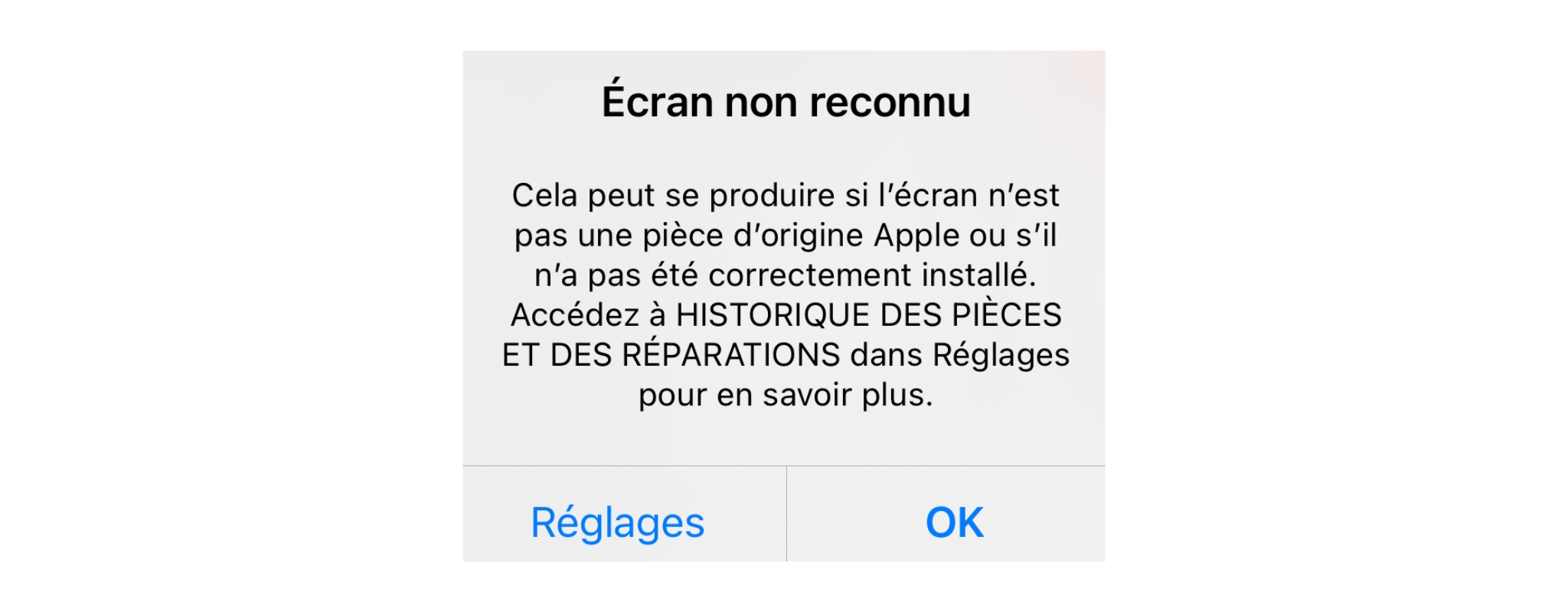
For users who have already replaced a part themselves or through a third-party repairer (excluding Apple centres or authorised repairers), you are familiar with the well-known error message that appears on the iPhone to warn you that the part is not recognised.

Although this did not prevent the device from working properly, this error message was not reassuring!

Apple Apple has a real desire to maintain control over its devices and operating system via a closed and ultra-secure system. That's why every part of an iPhone has a chip with a serial number that can be used to verify its authenticity. This allows the motherboard to detect any part changes and notify the user.

Apple was criticised for taking this desire too far, preventing its customers from repairing their iPhones and thus extending their lifespan. Even if the customer had carried out the repair themselves, it was simply impossible to remove this error message, even if the part was an official Apple part.

Apple Apple therefore decided to re-examine the issue, especially as, at the same time, they are increasingly promoting a desire to act in a more environmentally friendly manner, notably with their 2030 programme, which aims to achieve carbon-neutral production.

The arrival of the "Parts and Repair" feature with iOS 18

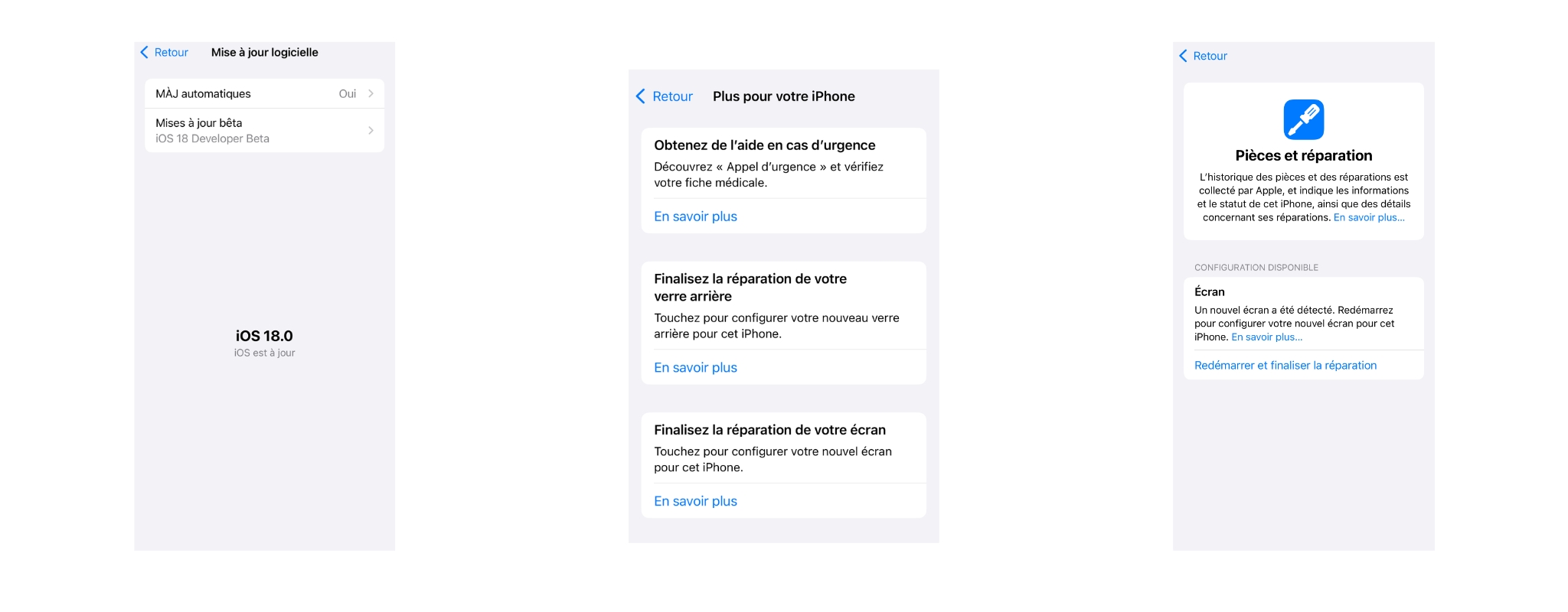
Apple's new feature in iOS 18 is the ability to configure parts after a repair.

Until now, in order to avoid error messages or access features related to certain parts, such as True Tone for the screen or battery health, you had to go through an Apple-authorised repairer. Only they could use software to configure the part to restore its full functionality and remove the error message.

Now, you will be able to configure the part you have replaced yourself! Provided, of course, that you have iOS18 installed on your device.

Please note that there is a limitation: this only applies to official Apple parts, whether new or used. If you install a genuine quality part (made from the same materials as official parts but manufactured in third-party factories) or compatible parts, it will not work, as the part must be equipped with a chip that identifies it as an Apple part.

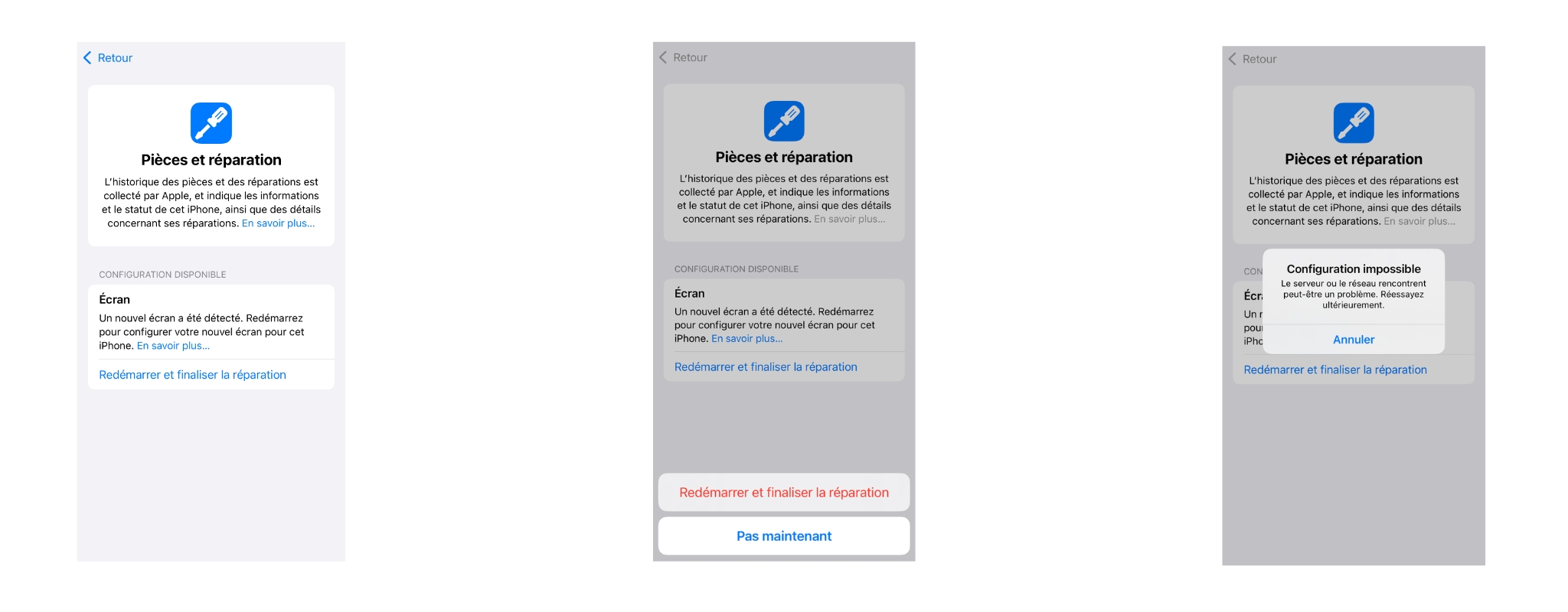
Once the part is installed, a message will appear in your settings, prompting you to proceed with the configuration: "restart and finish repair". This feature is equivalent to the software that only Apple-approved technicians have to finish configuring a part.

We tested it

We wanted to test this new feature. To do so:

  • We updated to iOS18 (beta version)
  • We installed the original screen from another iPhone 14 on an iPhone 14. The part is therefore an official Apple part.

Unfortunately, the following message appeared: "Unable to configure. The server or network may be experiencing a problem. Please try again later."

We contacted support at Apple, explaining that we had successfully recovered the original screen from another iPhone. However, no solution was provided, nor were any explanations given.

For now, we conclude that since the iOS18 update is still in beta, we will have to wait for the final version. We will update this article when the final update is available, which will allow us to retest and provide you with more information! 

We will also test with a compatible screen to study the effects on the iPhone.

More articles

VISIT OUR BLOG
Advice
IPhone screen: understanding Hz and ProMotion

IPhone screen: understanding Hz and ProMotion

60 Hz, 90 Hz, 120 Hz, ProMotion: find out how the display frequency of an iPhone screen works,...

2025-11-28
Advice
What quality iPhone screen should I choose? TFT, INCELL, OLED, original

What quality iPhone screen should I choose? TFT, INCELL, OLED, original

TFT, INCELL, LTPS, hard and soft OLED, Service Pack, refurbished or pulled: find out which iPhone...

2025-11-26
News
OnePlus 13: Features and Release Date

OnePlus 13: Features and Release Date

OnePlus 13: Discover its features, innovations and expected release date. Everything you need to...

2025-03-04