Orders are dispatched the same day if placed before 3pm (Monday to Friday). Find out more

You can no longer take photos without spots appearing on your beautiful pictures! We are going to explore the different solutions to fix this problem!

Let's take it step by step to find the problem and come up with the right solution.

Check that the lenses are clean

The lenses may simply be dirty on the surface. However, it seems unlikely that this is the cause of the spots that consistently appear on your photos. If this is the case, we recommend cleaning them with a soft cloth.

If you notice persistent dirt even after cleaning with a cloth, it is highly likely that dust has got inside, between the lenses and the objectives. Even small particles, sometimes almost invisible to the naked eye, can spoil the images you take.

To remedy this problem, you will need to open the back glass or plastic cover of your phone and use a cloth or small blower to remove the dust.

Check the condition of the lenses

The lenses that cover and protect the camera may be damaged: scratches, small impacts, etc. This affects the quality of your photos, potentially causing spots to appear on them.

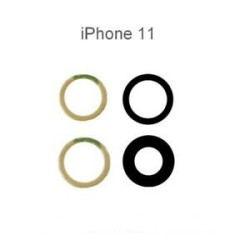
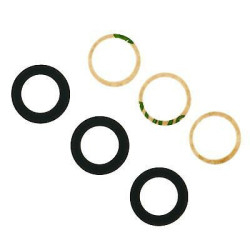
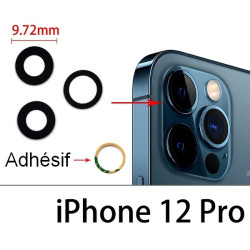
To remedy this problem, we recommend replacing the camera lenses. Be sure to check your phone model to order the right parts for your phone.

Please note: take a test photo WITHOUT the lens to make sure there are no other sources of spots. There may be dust on the lens, or the lens may also be damaged.

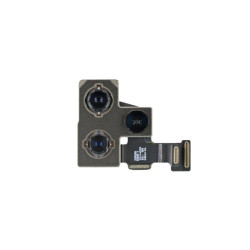
Camera lenses

Check the condition of the lenses

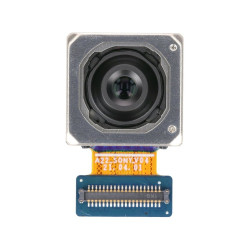
If the problem persists after checking all of the above, the lenses may be dirty or damaged.

You will need to remove the back glass or back cover of your phone to access the lenses directly.

As with lenses, clean the camera lenses. Be careful, as these parts are fragile. Take a small cotton bud with a little alcohol and wipe the lenses. Then wipe with a soft, dry cloth.

Also check for any cracks or small impacts. We recommend using a magnifying glass. Even a slight impact, sometimes almost invisible to the naked eye, can cause spots on your photos.
If this is the case, you will need to replace the camera lenses to fix the problem. As with the lenses, check your phone model carefully to order the correct part.

Camera lenses

How can I protect my cameras?

You can limit dirt, dust infiltration and the risk of damaging your camera lenses.

There are various accessories available for this purpose, such as full-coverage cases and camera protectors.

Camera lens protection

More articles

VISIT OUR BLOG
Advice
IPhone screen: understanding Hz and ProMotion

IPhone screen: understanding Hz and ProMotion

60 Hz, 90 Hz, 120 Hz, ProMotion: find out how the display frequency of an iPhone screen works,...

2025-11-28
Advice
What quality iPhone screen should I choose? TFT, INCELL, OLED, original

What quality iPhone screen should I choose? TFT, INCELL, OLED, original

TFT, INCELL, LTPS, hard and soft OLED, Service Pack, refurbished or pulled: find out which iPhone...

2025-11-26
News
OnePlus 13: Features and Release Date

OnePlus 13: Features and Release Date

OnePlus 13: Discover its features, innovations and expected release date. Everything you need to...

2025-03-04