Orders are dispatched the same day if placed before 3pm (Monday to Friday). Find out more

Have you replaced your iPhone screen without going through a repair service Apple and now you're getting an error message? We'll explain why in this article!

The issue is as follows: you have replaced your iPhone screen (without using an authorised Apple technician) and an error message appeared when you turned your phone back on.

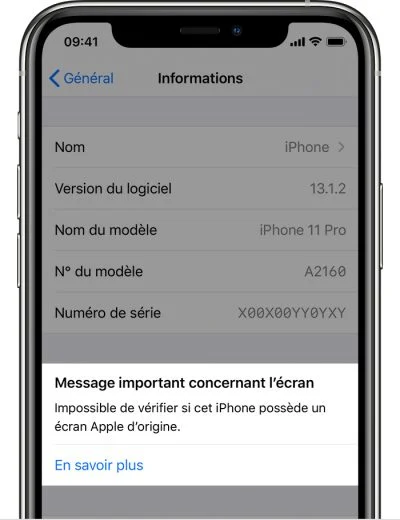
This message remains in your iPhone's settings ("Settings" > "General").

The iPhone initially displays "unknown part" and then "unable to verify if this iPhone has an original Apple screen."

First of all, we will begin by giving you Apple's explanation

"The message 'Unknown part'  appears if the installation of the battery in question is incomplete, or in the following situations:

- The screen has been replaced with a non-original screen

- The screen has already been used or installed on another iPhone

- The screen is not functioning as expected

The message "Apple has updated the device information for this iPhone" may also appear. This means that Apple has updated the device information stored for this iPhone for service, security analysis, and future product improvement purposes.

These messages do not affect your ability to use your iPhone or screen. "
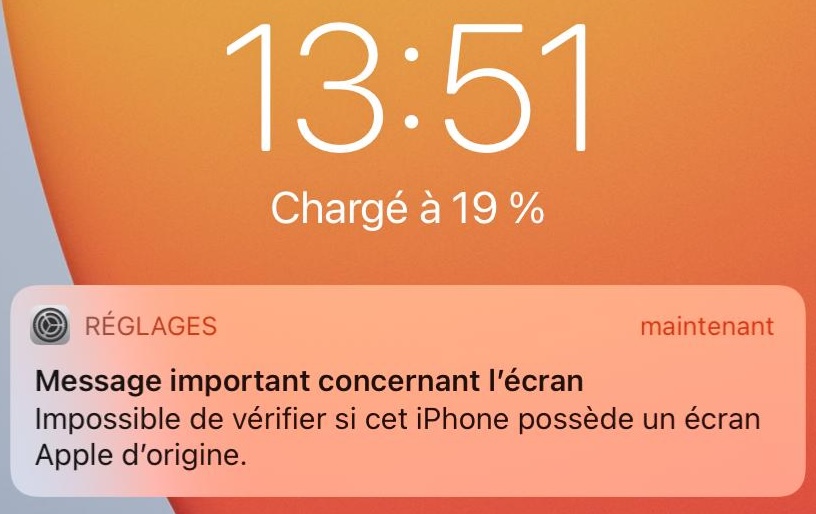
Source: https://support.apple.com/fr-fr/HT210323

Are all iPhones affected?

All models from the iPhone 11 series onwards are affected. If you have an iPhone older than this series, you are not affected by this issue.

So how can this phenomenon be explained?

It is important to note that all screens have a serial number that allows the motherboard to identify and authenticate the part as the original part used in the design of the device. If the screen is replaced, the motherboard will detect that the serial number is no longer the original one. As a result, the motherboard will automatically display an error message. Only Apple technicians have the authority to remove the message after a screen replacement, using special software.

So don't worry if you replace your screen! Even if it is an Apple screen, the message will still appear if you do not use an authorised technician. 

Will the message remain?

Since the iOS 15.2 update, a new section has appeared in Settings: "Part History". In this section, the iPhone will indicate whether a part has been replaced and whether it is "original" or "unknown".

Before this update, this section did not exist and the error message disappeared after 15 days. 

Apple's brand seems to be securing its parts more, to protect itself in the event of an incident after a part has been replaced by an unauthorised repairer or by the phone owner themselves. But as they themselves point out, this has no impact on the use of the device.

As with the screen, replacing the battery or rear cameras may result in an error message. The mechanism that causes this message to appear is the same as for the screen, so there is no need to worry.

To find out more about changing the battery, please read this article. To find out more about changing the rear cameras, please read this article.

More articles

VISIT OUR BLOG
Advice
IPhone screen: understanding Hz and ProMotion

IPhone screen: understanding Hz and ProMotion

60 Hz, 90 Hz, 120 Hz, ProMotion: find out how the display frequency of an iPhone screen works,...

2025-11-28
Advice
What quality iPhone screen should I choose? TFT, INCELL, OLED, original

What quality iPhone screen should I choose? TFT, INCELL, OLED, original

TFT, INCELL, LTPS, hard and soft OLED, Service Pack, refurbished or pulled: find out which iPhone...

2025-11-26
News
OnePlus 13: Features and Release Date

OnePlus 13: Features and Release Date

OnePlus 13: Discover its features, innovations and expected release date. Everything you need to...

2025-03-04