Orders are dispatched the same day if placed before 3pm (Monday to Friday). Find out more

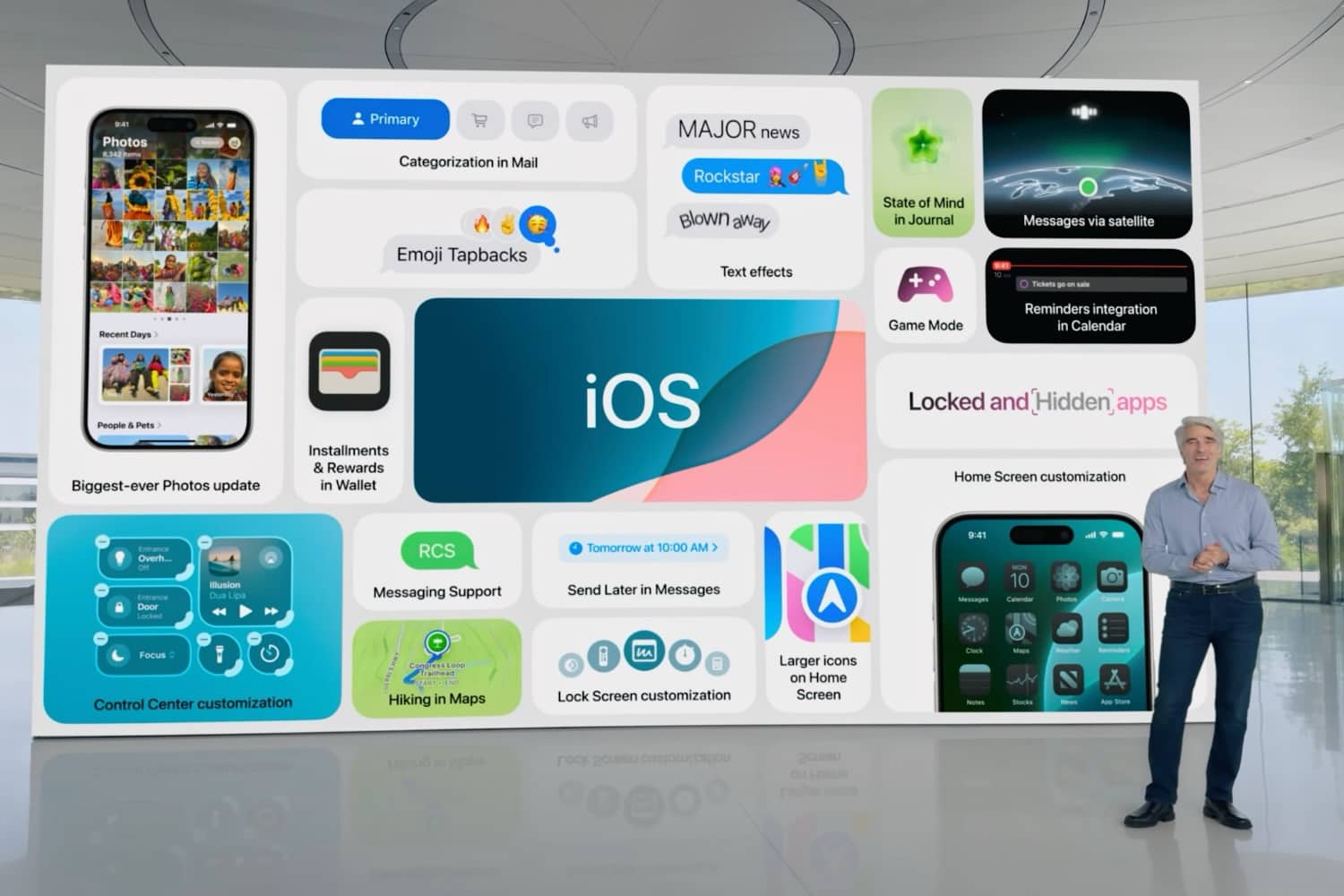
The iOS 18 Keynote took place last June, with a release date set for September. A beta version is already available if you want to try it out now. We'll explain all the new features

Option to personalise your iPhone 

The first new feature is screen customisation! Apple is going one step further by moving away from its "classic" interface, common to all iPhone users, which ultimately made the brand unique.

Now you can customise your screens, icons and controls to your liking.

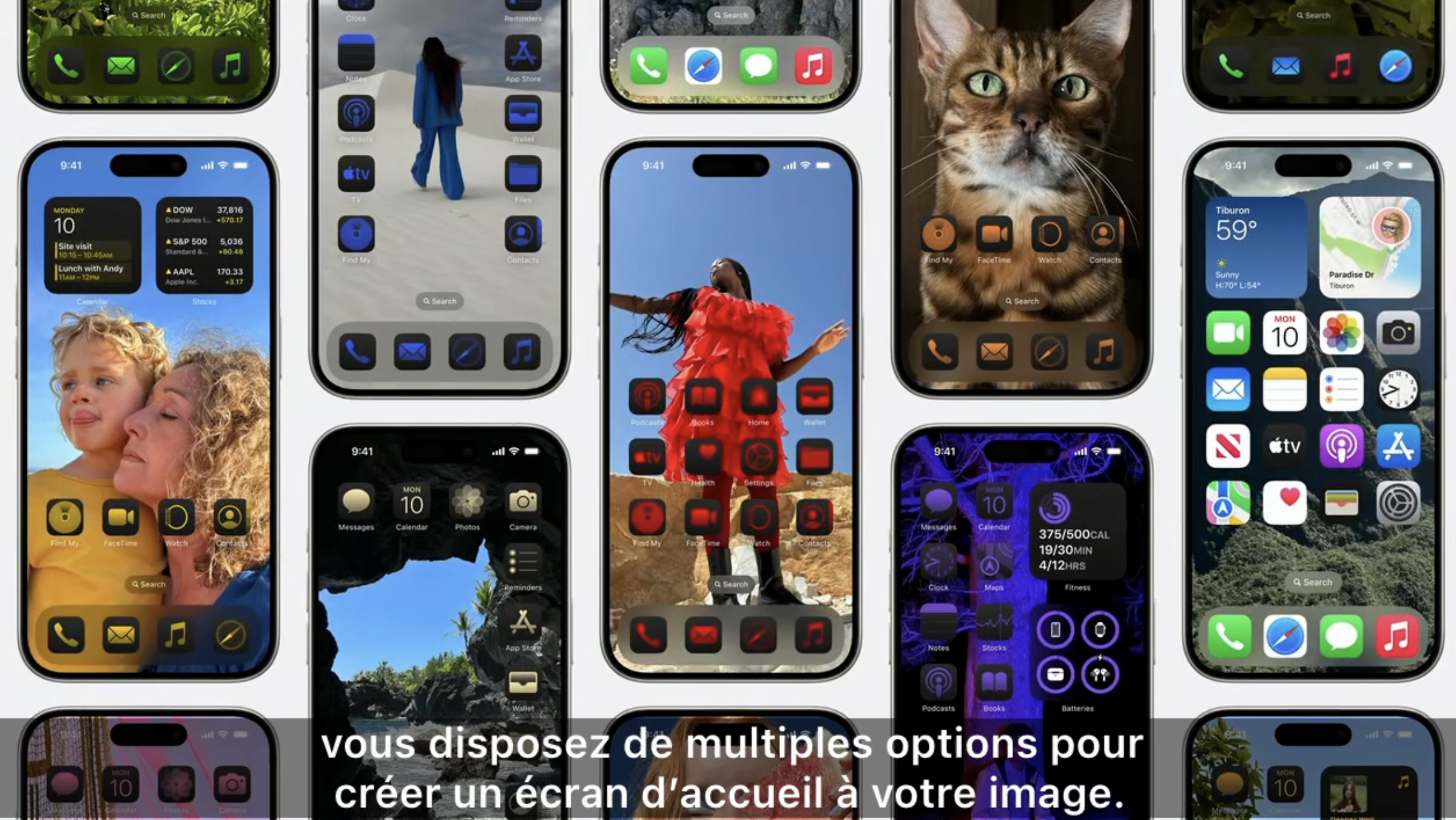
Customising the home screen 

Changes to the appearance of icons!

  • Place icons wherever you want, 
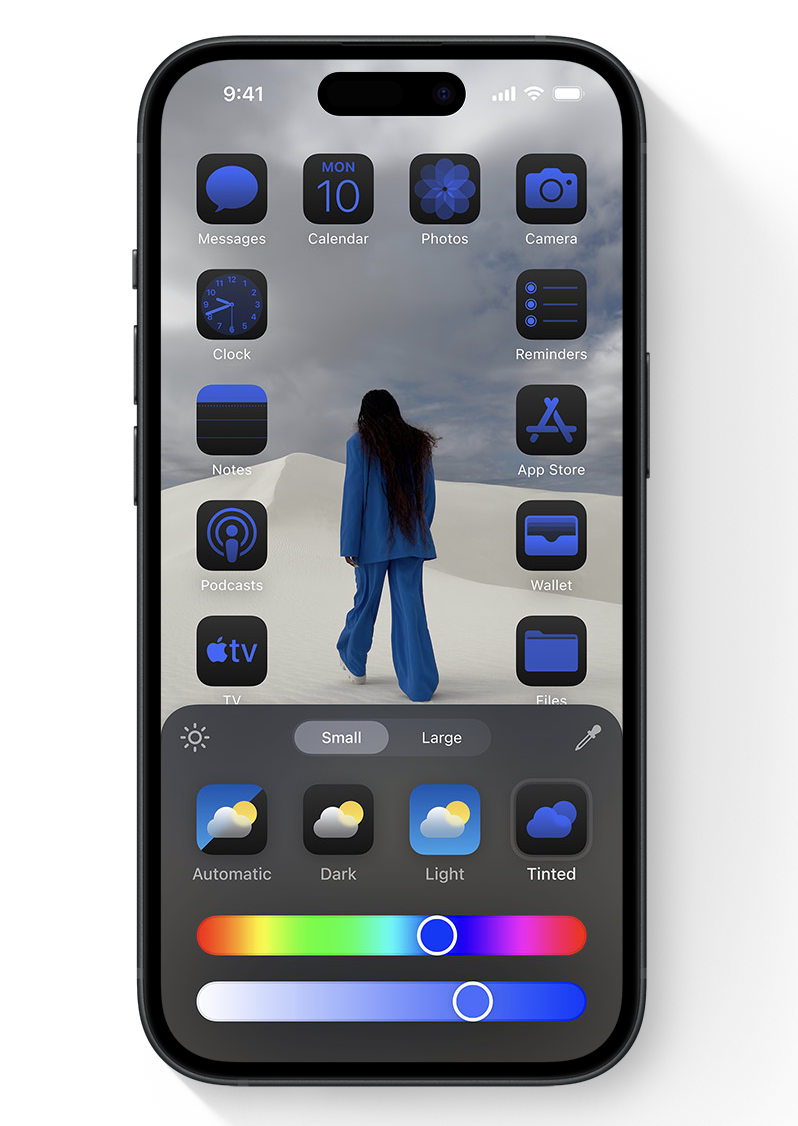
  • Choose between light mode or dark mode for applications,
  • Customise apps by choosing the colour of your choice (an option allows you to adjust the colour of apps to match your wallpaper),
  • Choose the size of your icons (small or large).

You can also continue to enjoy widgets by placing them wherever you want, just like icons.

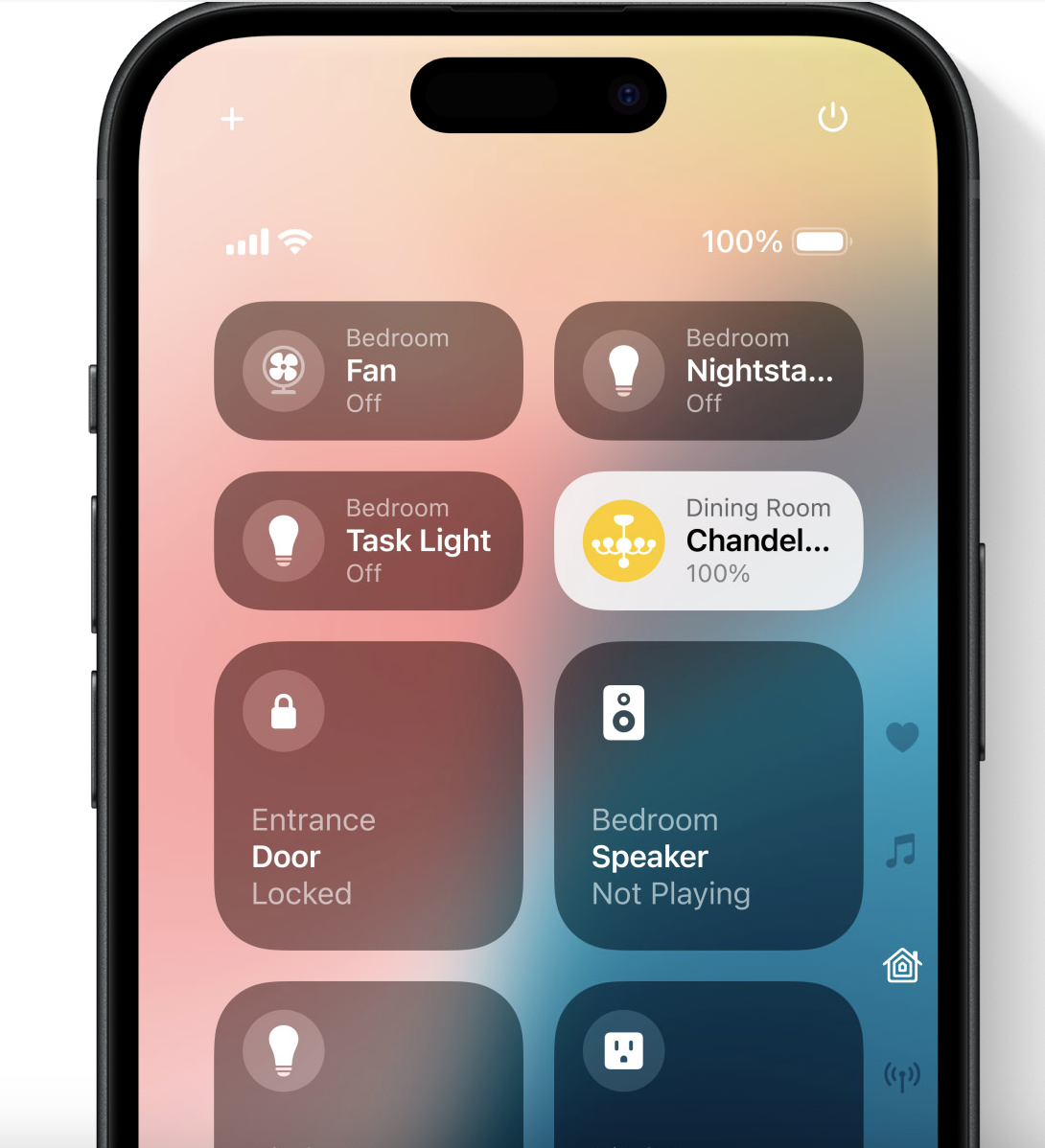
Customising the control centre

Access to the control centre is the same, but you can now add many more shortcuts according to your needs and preferences. The display is also slightly different: you will see more controls and colours have been added, particularly for the brightness control, which is now yellow, for example.

Also, if you swipe down, you will have direct access to your music app (Apple Music, Spotify, Deezer, etc.). You can customise the interfaces, which will scroll from top to bottom. For example, you can add direct access to your home automation controls.

This allows much faster access to many apps and commands without having to open the applications one by one.

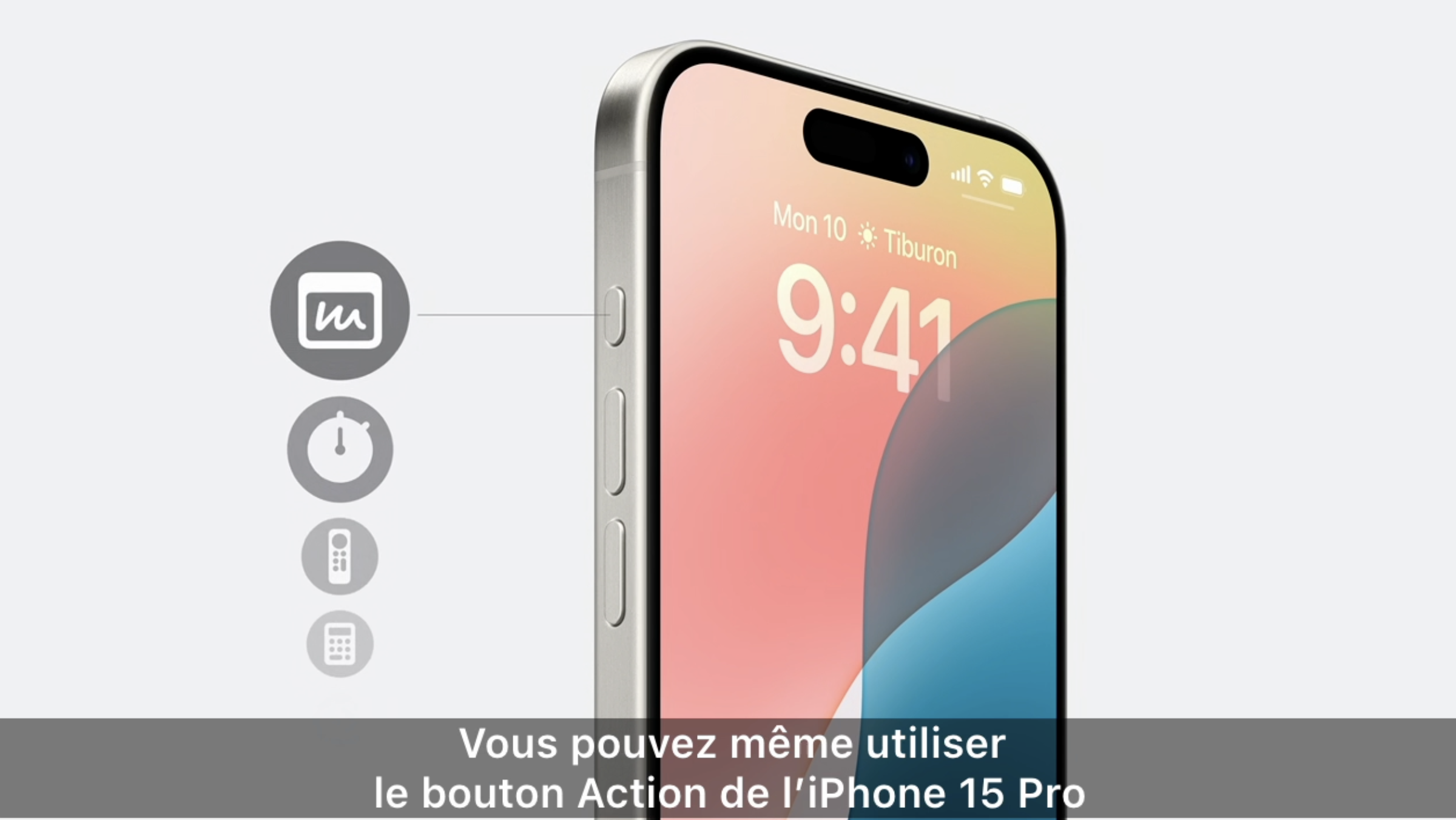
Other controls are changing, such as the action button (on iPhone 15 Pro and Pro Max and future series only). Now you can choose the type of action to perform, rather than just ring/silent mode.

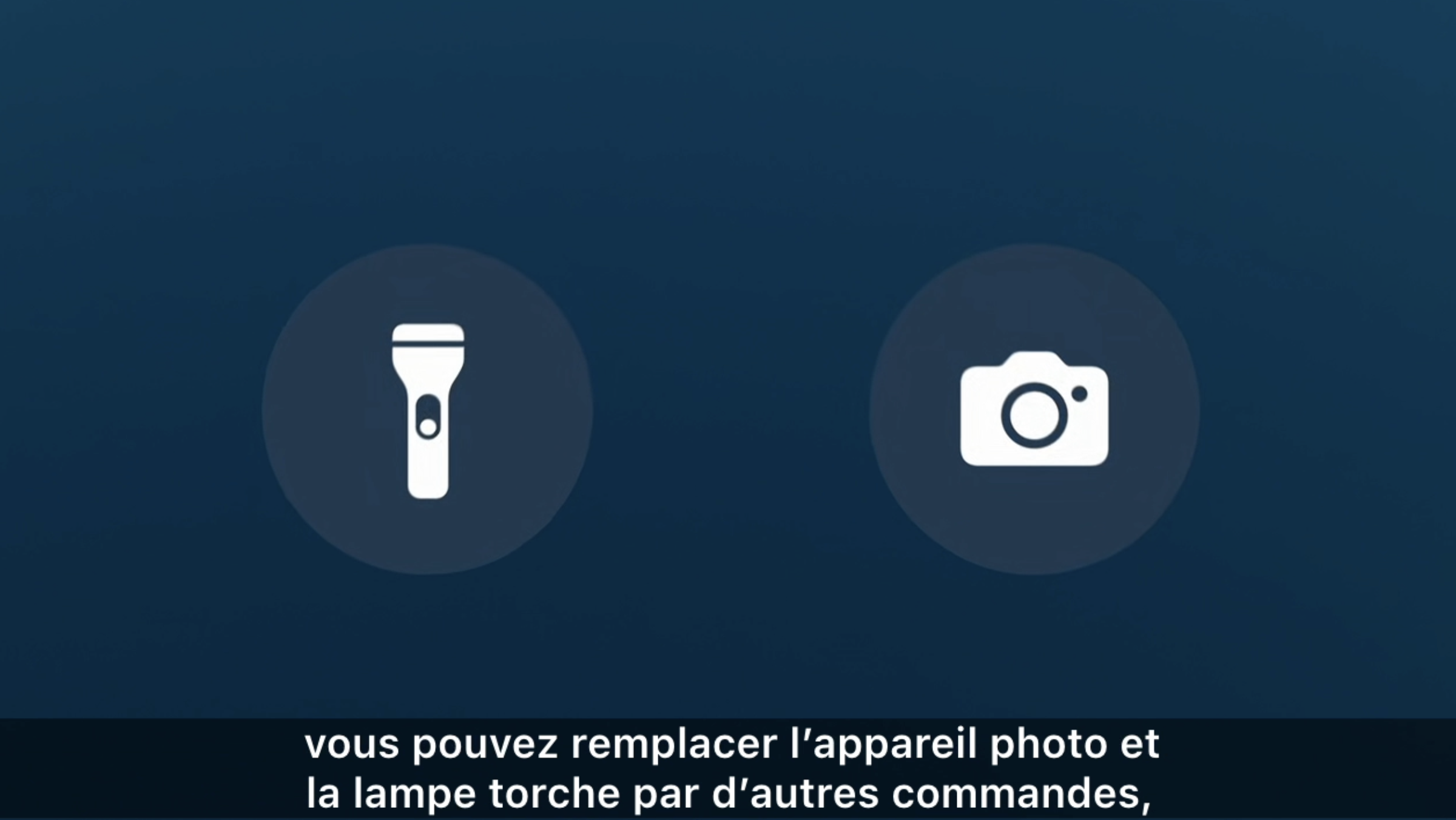
The same applies to the shortcuts at the bottom of the locked screen that give us access to the camera and torch. You can now choose which apps you want!

Strengthening control over your privacy

Apple enhances control over your iPhone's data and content.

"Locked App": app locking

Now you can choose which apps to lock. You can choose Face ID, Touch ID or your passcode to unlock them, keeping the app's content private.

"Hidden App": hide your apps

If you really want to protect your privacy by making one or more apps invisible, now you can! Hidden apps will be stored in a locked folder. Only you will be able to access them, using Face ID, Touch ID or your passcode.

Restrictions on access to your data

Apple goes even further for your security and privacy by giving you control over the permissions you give to your apps. In particular, you can restrict access to your contacts for certain apps. Also, the Bluetooth feature has been improved, simplifying pairing with your devices without giving them access to the networks connected to your device.

The Messages app is becoming more dynamic and evolving 

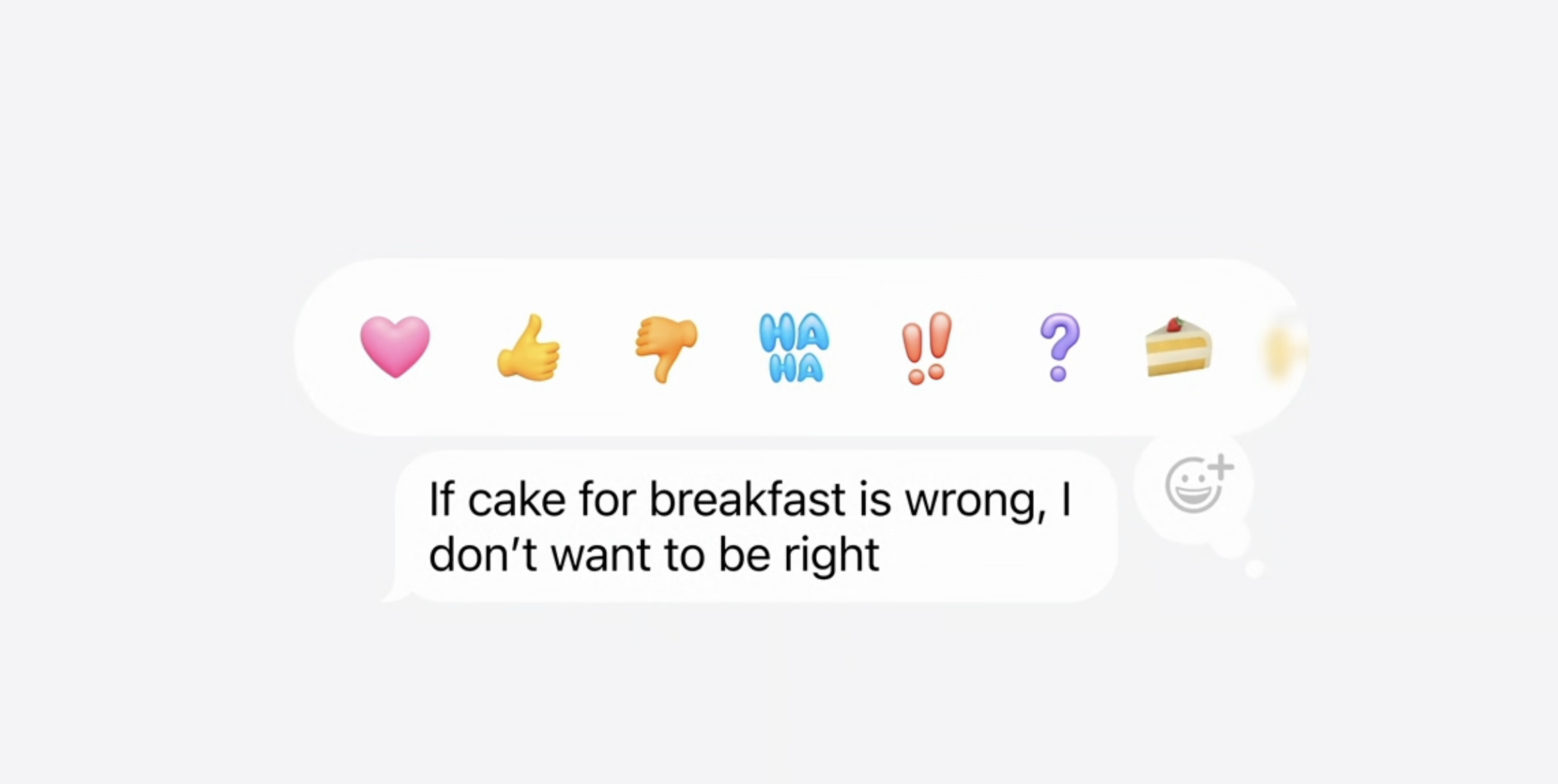
Tapbacks galore

Tapbacks, which are reactions you can add to messages from your contacts on iMessage, are now more colourful and numerous! Gone are the days of limited reaction choices; you can now choose from all your emojis, just like on WhatsApp. You can even pin several at once.

Programmable messages

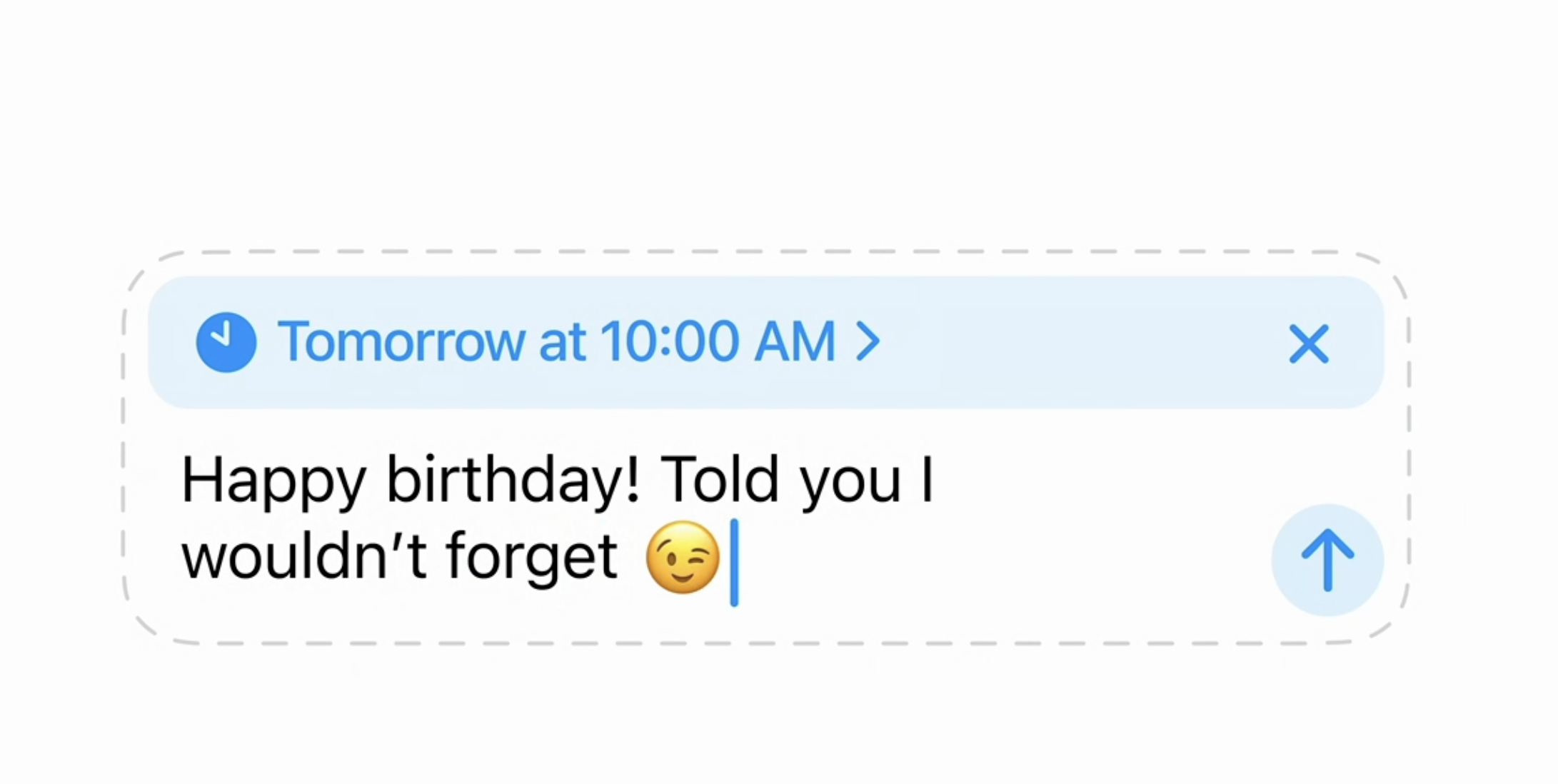
Worried about forgetting a loved one's birthday? Don't panic, you can now programme a message to be sent so you won't forget anything!

Add effects to your messages

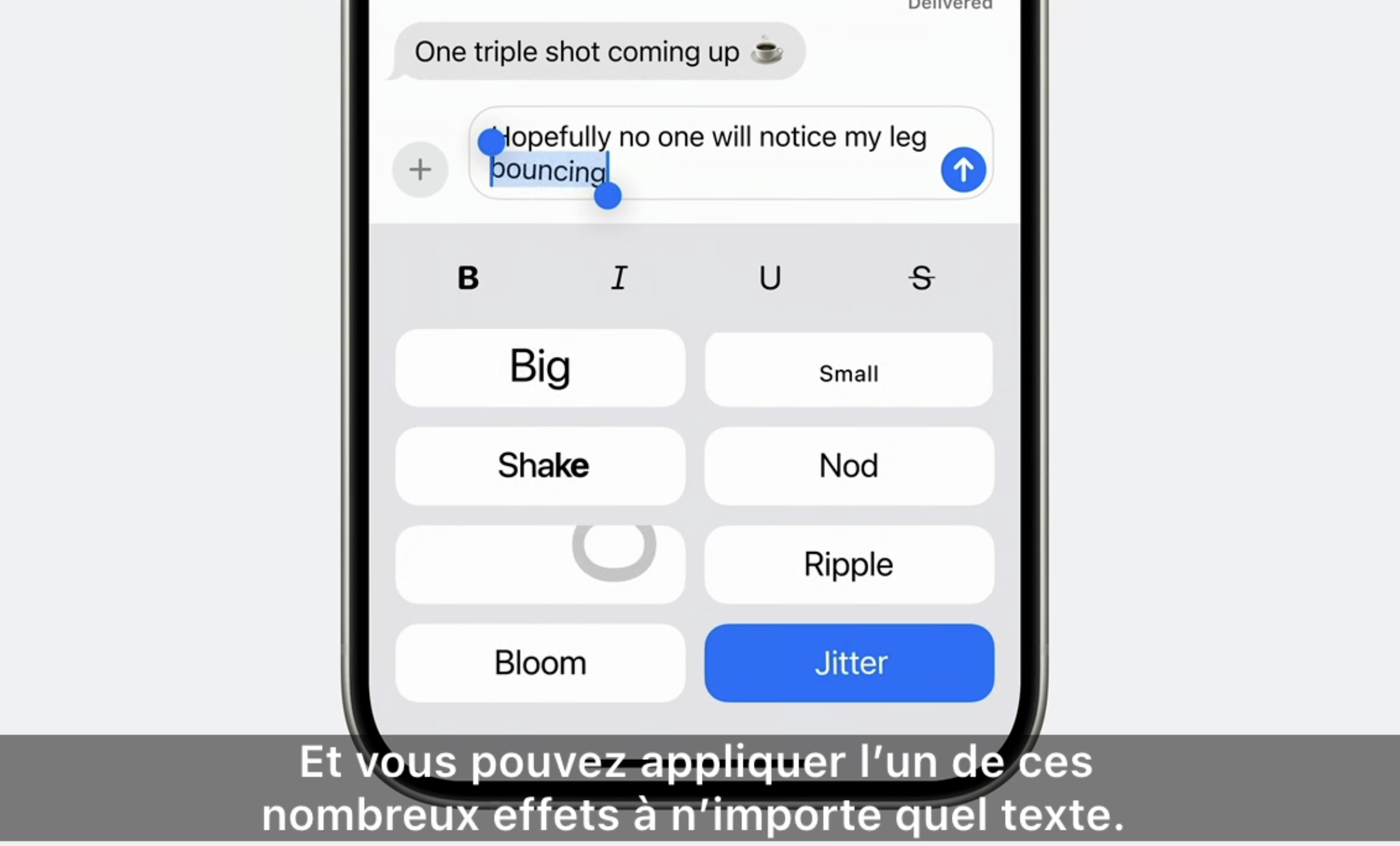
We already knew about the effects that could be added when sending a message. Now you can cross out, underline, bold or italicise text, just like in word processing software.

Also, with the arrival of "Text Effects", you can add effects to the body of the text such as "zoom", "jump", etc.

Send messages even without a network

No more worrying about not having network coverage when you break down in the forest! You can now send iMessages and messages via satellite if you have no network coverage around you!

Apple also specifies that even messages sent via the satellite network are end-to-end encrypted.

Better organised emails

The Mails application will be modernised and reorganised.

Organised by categories

The Mail app will offer intuitive folders based on the sender, similar to Gmail, as follows:

  • Main: folder containing urgent emails or emails from your contacts
  • Transactions: for all emails concerning a purchase or order
  • Updates: for all newsletters, media or social networks,
  • All emails: all emails in one place. 

Summary view

Mails will also offer you a summary view by sender, highlighting important items and grouping together the history of exchanges. 

No more reasons to get lost with the evolution of Maps

Just like with messages, the Maps app will allow you to always find your way even if you don't have a network connection nearby. The app will be able to connect to the satellite network.

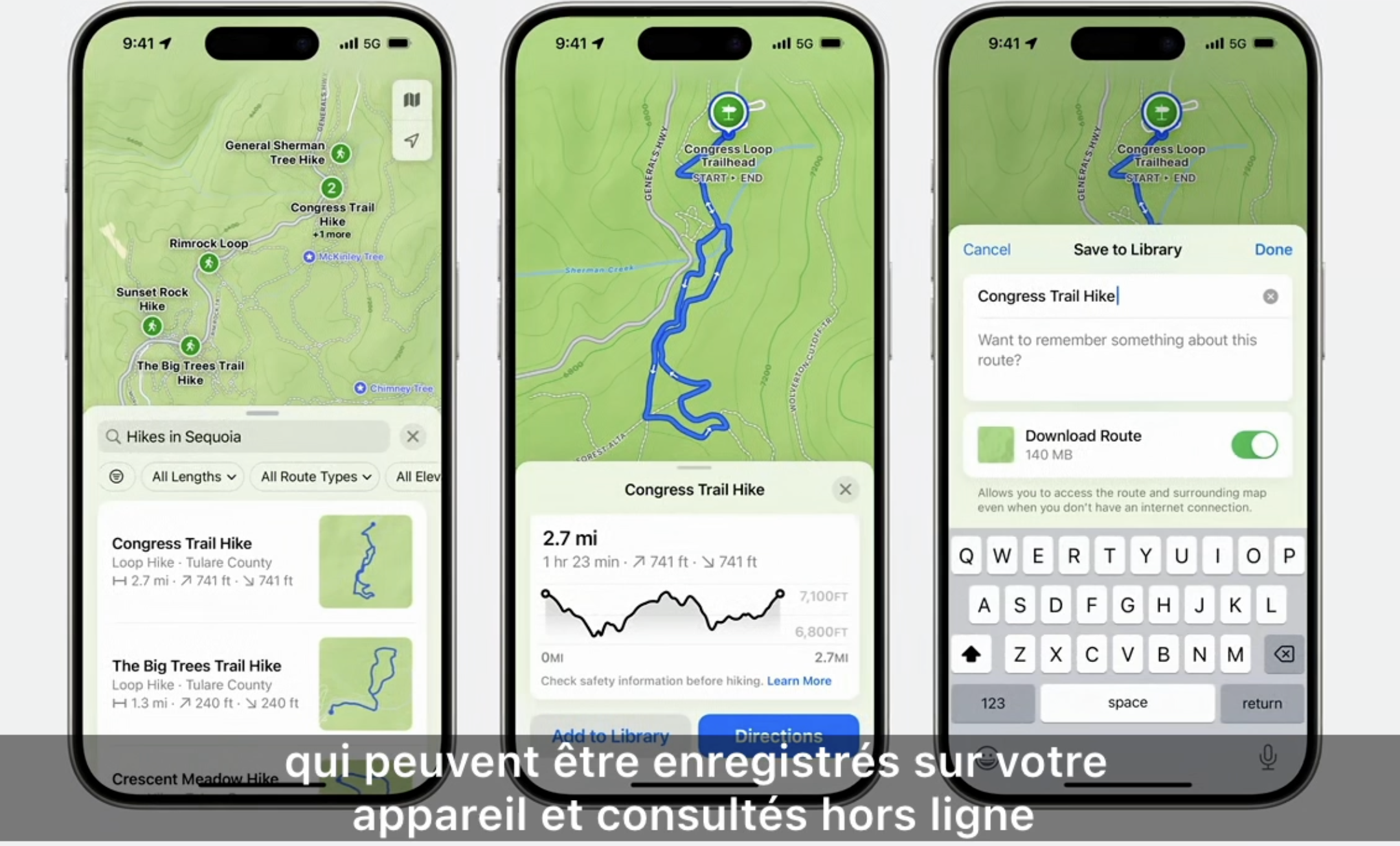
You will also be able to save routes and keep them in "offline" mode.

Finally, you can create your own itineraries on a map.

Wallet will truly make you abandon your wallet

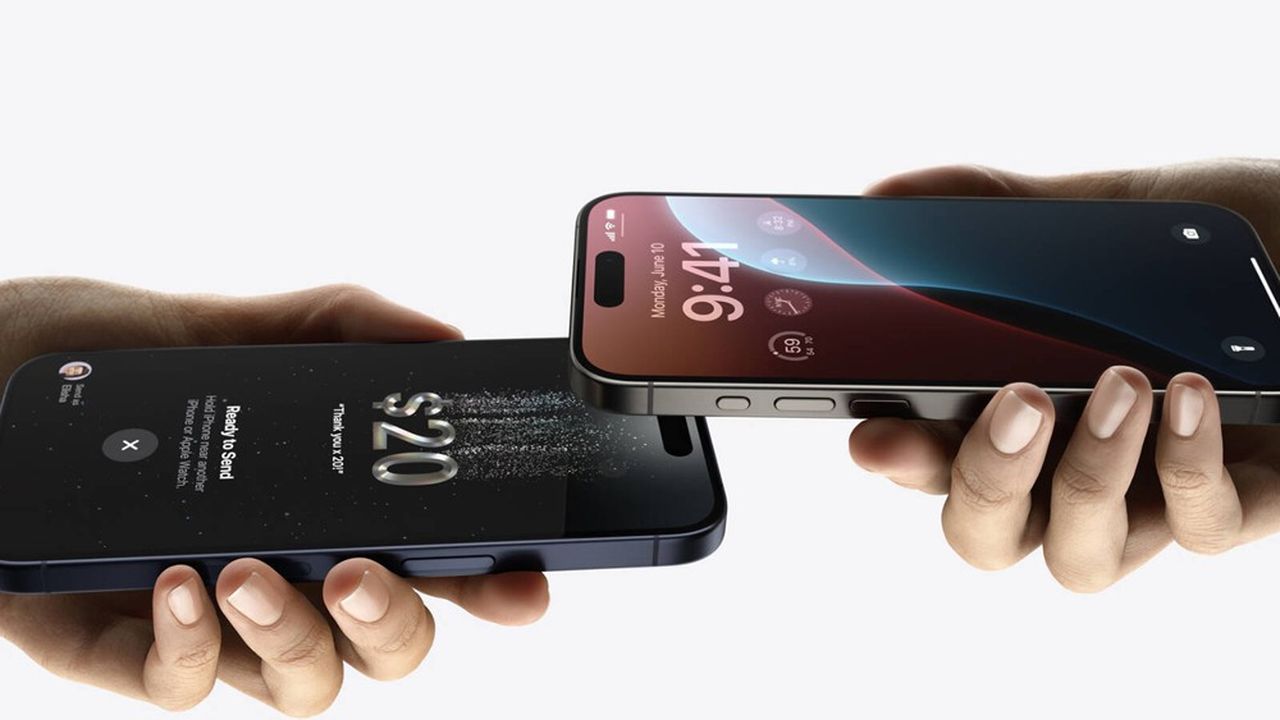
Tap to cash

A major revolution following on from Apple Pay, iOS 18 will allow you to transfer and receive money directly from iPhone to iPhone.

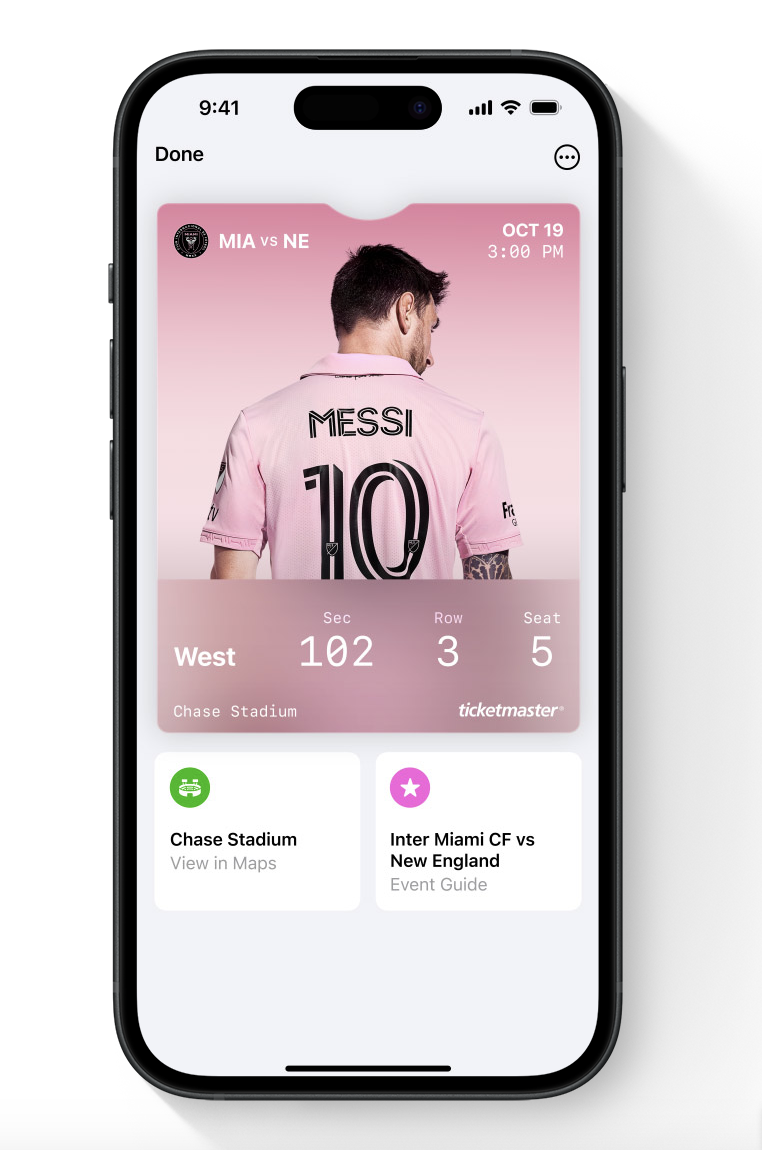
Tickets

Your tickets for shows or other events will provide you with more information about the venue where the event is taking place and offer personalised recommendations.

Improved Game Mode for a much better gaming experience

For video game enthusiasts, the experience will be much smoother. With iOS 18, Apple has planned to reduce background activity when you launch the app, allowing for better FPS (frames per second) and therefore much smoother gameplay.

The same will apply to connections with accessories such as AirPods and controllers, with game mode significantly reducing latency with accessories.

A revolution for the Photos app!

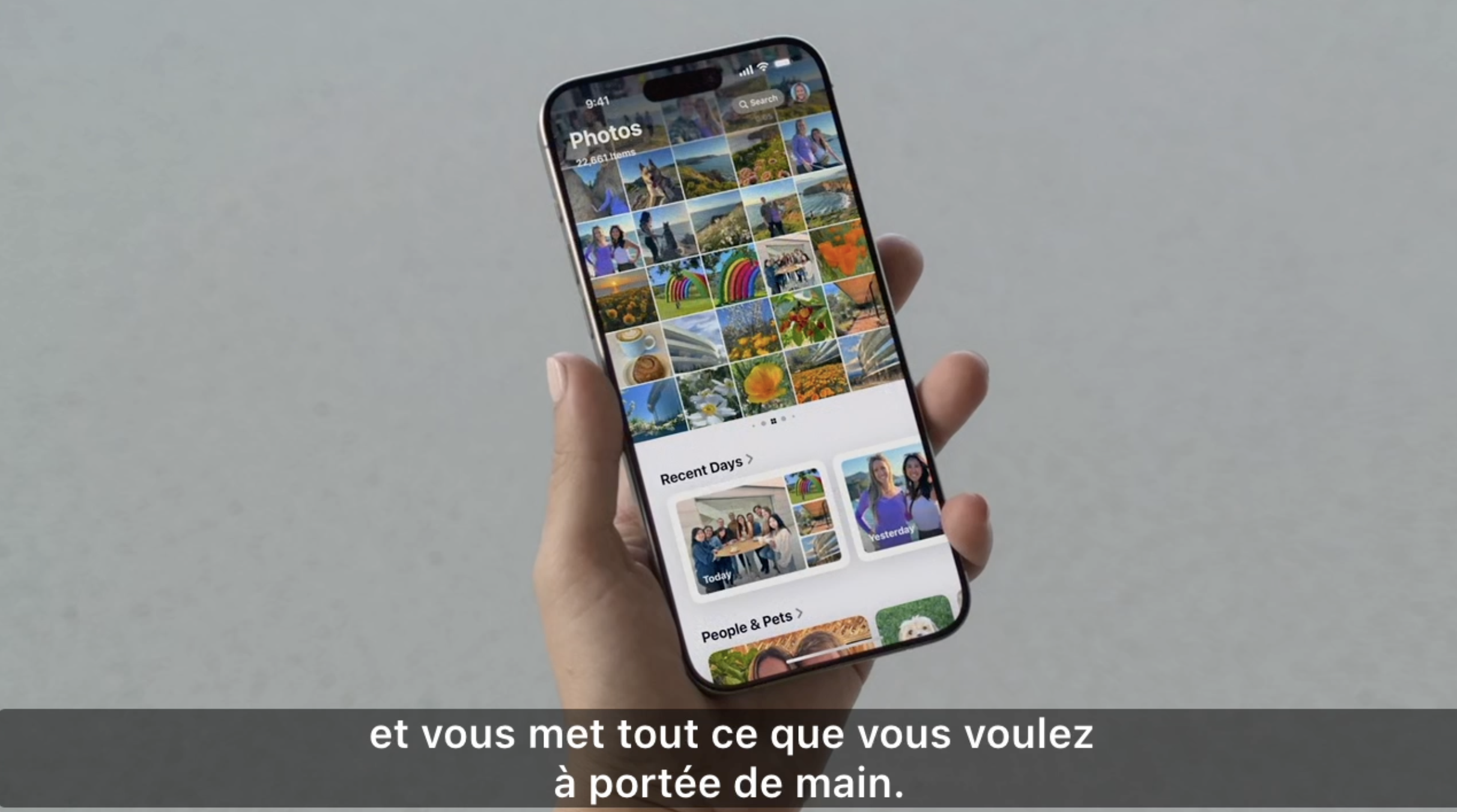
During the Keynote, Apple announced it as the biggest overhaul of its apps. And with good reason, as the app's interface had never undergone such a major change before. iOS 18 promises us more intuitive and faster access to our memories.

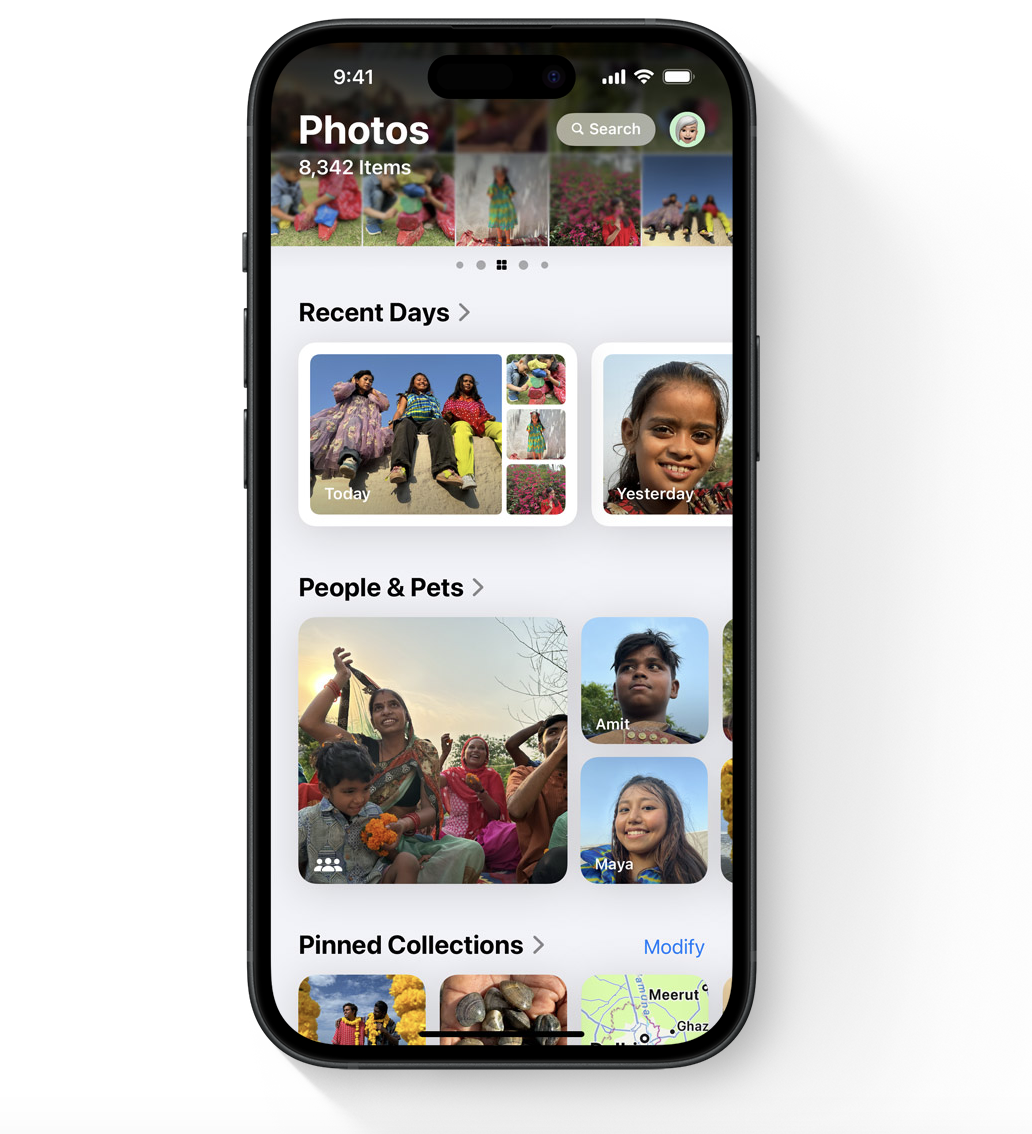
The Photos app in iOS 18 offers a brand new layout with a unique view: the photo library at the top and themed folders at the bottom.

You will now find tabs at the bottom labelled "months" and "years" to easily find your photos by date. 

A filter button allows you to further refine your search.

To access your "Favourites" folder, simply swipe right.

Photo folders will therefore be available on the main interface, which Applevents as "Collections". Here you will find: 

  • "Recent" for photos taken in the previous days,
  • Animals and people,
  • Memories,
  • Travel...

You will even be able to share an entire folder with your friends

These folders are created using Apple's AI (Artificial Intelligence), which organises your photos for you. Although this AI already existed, it seems more advanced and the new interface provides a much smoother user experience.

Finally, once again, Apple allows you to customise the interface as you wish, highlighting the "Collections" folders as you see fit and creating your own folders.

Questions

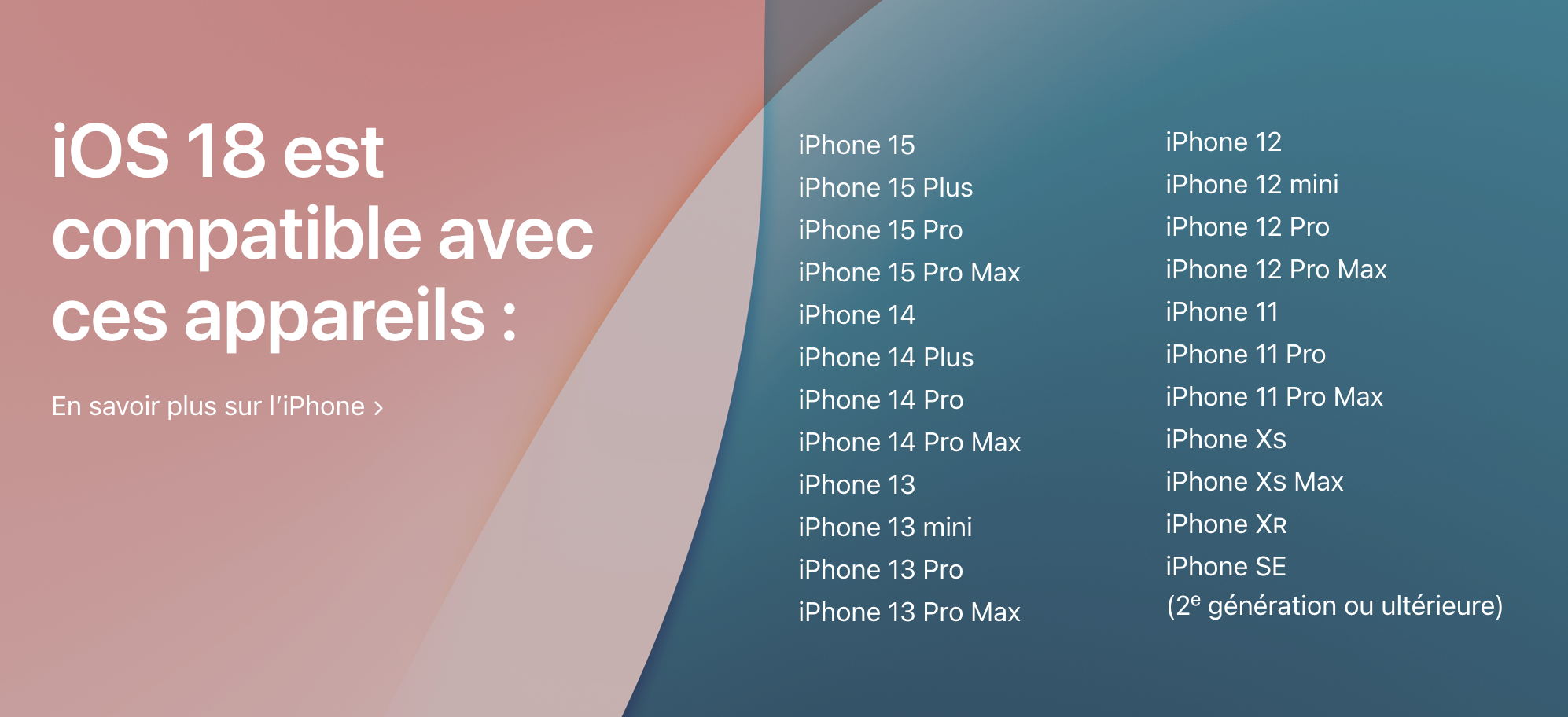
Which iPhones will be compatible with iOS 18?

Contrary to some rumours, many models will be compatible. Apple has provided a list of compatible devices, which you can see opposite. 

When will iOS 18 be available?

You can download the beta version now, which is a kind of test version. User feedback will help refine iOS 18 before its final release (which will still be eligible for regular updates) with the release of the iPhone 16 series in autumn 2024.

To download iOS 18 beta: go to "General > Software Update".

More articles

VISIT OUR BLOG
Advice
IPhone screen: understanding Hz and ProMotion

IPhone screen: understanding Hz and ProMotion

60 Hz, 90 Hz, 120 Hz, ProMotion: find out how the display frequency of an iPhone screen works,...

2025-11-28
Advice
What quality iPhone screen should I choose? TFT, INCELL, OLED, original

What quality iPhone screen should I choose? TFT, INCELL, OLED, original

TFT, INCELL, LTPS, hard and soft OLED, Service Pack, refurbished or pulled: find out which iPhone...

2025-11-26
News
OnePlus 13: Features and Release Date

OnePlus 13: Features and Release Date

OnePlus 13: Discover its features, innovations and expected release date. Everything you need to...

2025-03-04