Is your iPhone constantly restarting for no reason, preventing you from using it normally? Here are the likely causes and solutions to restore normal operation.
You have just replaced a part on your iPhone
Screen replacement
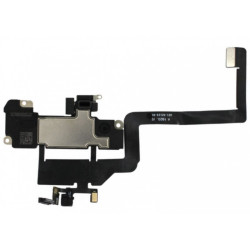
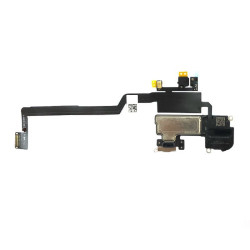
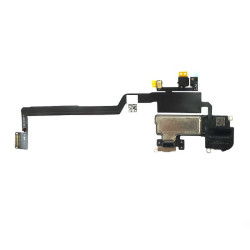
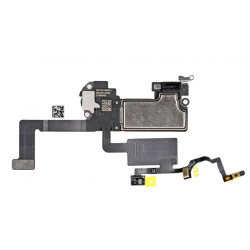
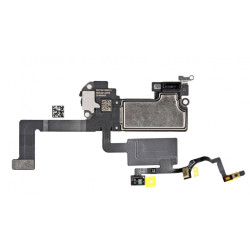
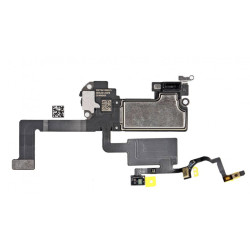
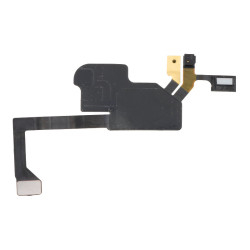
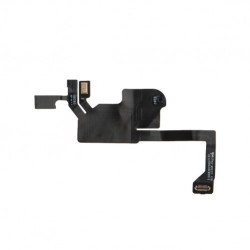
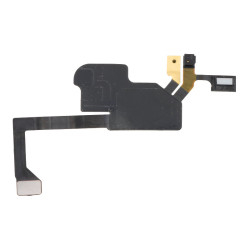
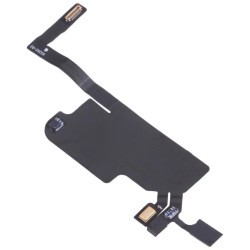
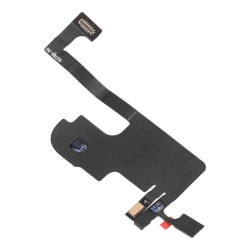
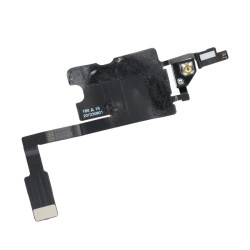
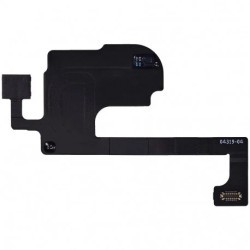
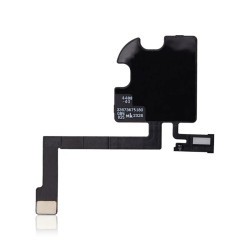
If you have just replaced your screen, have you remembered to retrieve the ribbon cable located at the top left of the screen? This is the brightness sensor and/or Face ID sensor*. This ribbon cable then connects to the phone.
If you haven't retrieved this component, your phone's motherboard will detect it and consider that there is a problem. The motherboard will then instruct your phone to restart in order to correct the problem. But as long as the ribbon cable is missing, this process will repeat itself indefinitely!
The solution is therefore to retrieve the ribbon cable from your old screen and then install it on your new screen.
If you have already thrown away the old screen, you can always order the ribbon cable, which only costs a few pounds.
Please note, however, that you will not be able to recover the Face ID function (for iPhone X/11/12) or the True Tone function, but this will solve the problem of continuous rebooting.
*On iPhone X/11/12, this ribbon cable also contains the internal earpiece. From iPhone 13 onwards, the brightness sensor ribbon cable is separate, without an internal earpiece or Face ID sensor.
Battery replacement
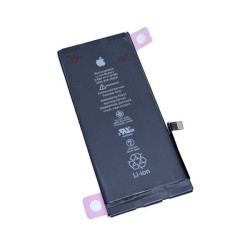
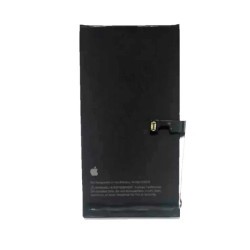
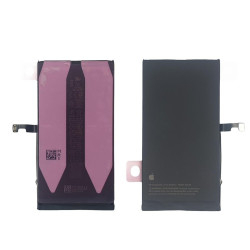
You may have just changed your battery. If so, you may not have connected the cable properly. We recommend checking the connection. A loose connection may be causing the looping restart.
Other parts replaced
If you have replaced a part other than the screen or battery and your iPhone keeps turning itself off and on, you will need to check the part you replaced.
It may be a simple connection problem with the part, creating a loose connection, which will alert the motherboard and cause it to restart repeatedly in an attempt to correct the fault. So check that the part's ribbon cable is properly connected.
If there is nothing wrong with the connection, examine the part. Is it damaged? Is the ribbon cable torn? If so, you will need to replace the part to stop the restart bug.
Conclusion:
We recommend that you replace the old part to see if the phone continues to restart in a loop. If your phone no longer restarts in a loop when you replace the old part, this indicates that either you have failed to replace a ribbon cable or that the new part is unsuitable or damaged.
In any case, we recommend that you purchase quality parts from reputable sellers. Lower quality parts can cause this type of bug.
Your battery is (very) worn out
A looping reboot may be caused by a worn-out battery. You can check this in your settings by going to General > Battery > Battery Health.
A battery starts to seriously wear out when its maximum capacity is 80% or less. Below this level, it can affect the use of your device, causing it to reboot continuously, suddenly switch off, or need to be recharged several times a day.
You can then replace the battery to restore your iPhone to proper working order.
Update problem
It may be that your iPhone simply hasn't been updated for a while. Regular updates allow you to enjoy the latest features of the latest versions of iOS and optimise your iPhone's performance.
To update, simply go to Settings > General > Software Update. This will give you the update to perform on your phone.
We recommend that you leave your phone plugged in during the update.
However, if your iPhone keeps restarting, the update may not be possible because your iPhone will keep restarting. Here's what to do:
- Press the volume up button
- Press the volume down button
- Press and hold the power button until you see the Apple logo appear. Connect your iPhone to a computer while keeping the button pressed.
- Your iPhone should display a cable and a computer image.
If this does not work, try again.
Your computer will offer you the option to either update your iPhone or restore it. We recommend restoring it. Make sure you have backed up your data beforehand!
Press Restore, and your computer will offer you a restore and an automatic update.
After this operation, your iPhone should work normally again. If not, refer to the other possible causes to find the right solution.
Our proximity sensor cables for iPhone series 11 to series 15
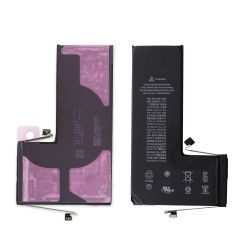
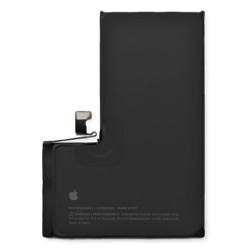
Our batteries for iPhone series 11 to series 15
IPhone 11 Pro Max Battery - Premium (Ti) + Free Tools
Available within 20 days- -€5.00
- 95 / 98% health status
More articles
VISIT OUR BLOGIPhone screen: understanding Hz and ProMotion
60 Hz, 90 Hz, 120 Hz, ProMotion: find out how the display frequency of an iPhone screen works,...
2025-11-28What quality iPhone screen should I choose? TFT, INCELL, OLED, original
TFT, INCELL, LTPS, hard and soft OLED, Service Pack, refurbished or pulled: find out which iPhone...
2025-11-26OnePlus 13: Features and Release Date
OnePlus 13: Discover its features, innovations and expected release date. Everything you need to...
2025-03-04